Full-featured help authoring environment
HelpNDoc provides all the tools necessary to write complete help files and documentations — From the table of contents to the final documentation layout, everything is included in HelpNDoc.
Smart and stunning user interface
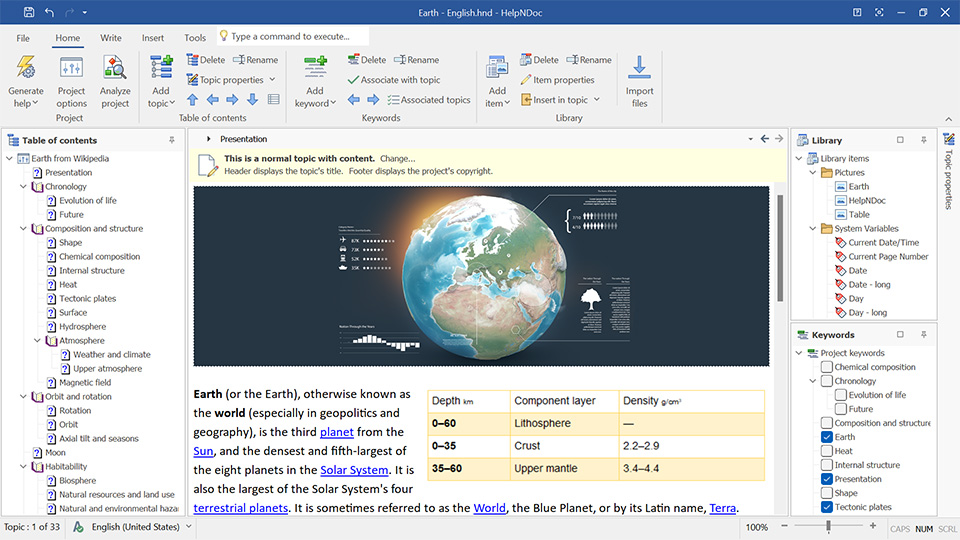
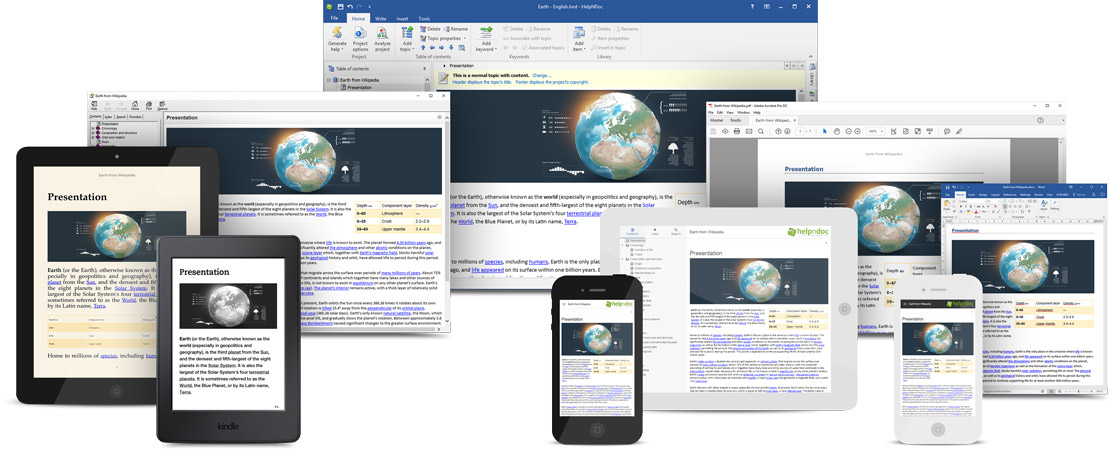
HelpNDoc’s user interface has been carefully designed to be clear and effective: the various tools are grouped using the popular ribbon design first introduced by Microsoft Office: contextual elements such as picture or table editing operations will only appear when needed thus greatly simplifying the overall experience.
Everything has been integrated
All the necessary tools needed to create great documentations are built right in HelpNDoc: the table of contents editor, WYSIWYG topic editor, keywords editor and library are some of the features provided to ease-up the process of writing amazing documentations and are an integral part of the HelpNDoc environment.
State of the art word processor
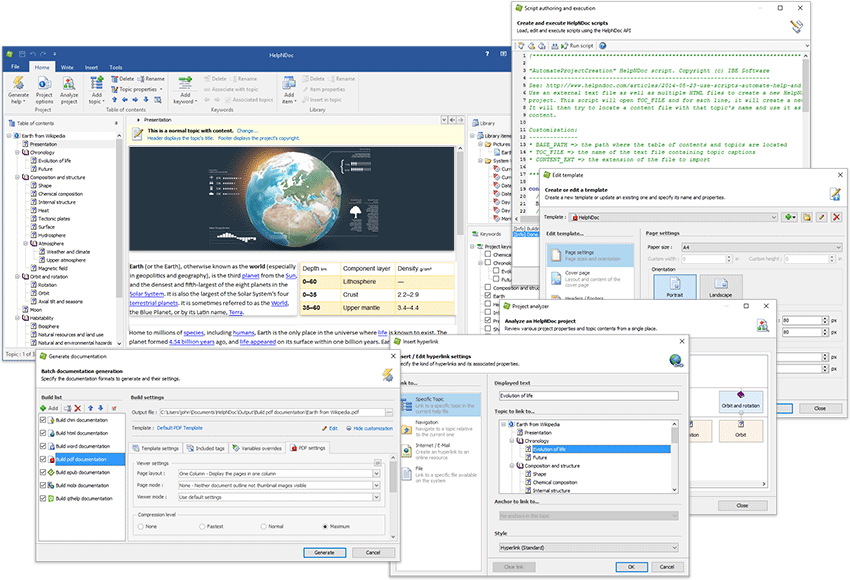
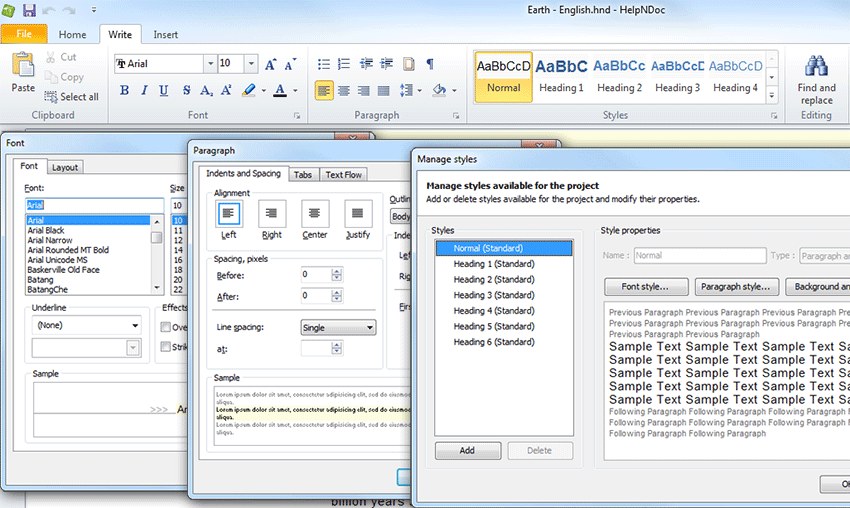
HelpNDoc includes a feature-packed word processor which makes you feel instantly at home: all the major strength you’ve come to expect from a modern document authoring application such as Microsoft Word are an integral part of HelpNDoc to make the most visually appealing help and documentation easier to create than ever.
Powerful media library system
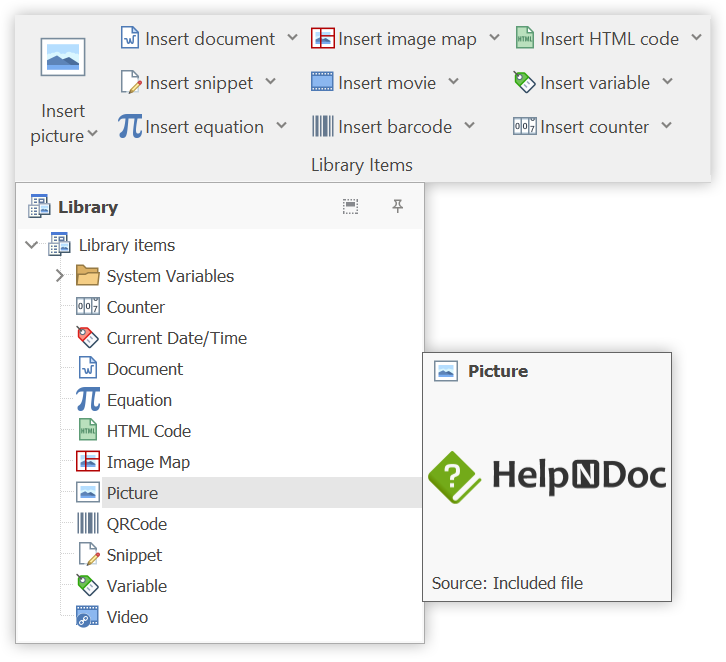
All your essential media and content elements, including pictures, videos, documents, HTML code, variables, snippets, equations, QR codes, and counters are adeptly managed by HelpNDoc’s Library. These elements are designed for seamless reuse throughout your documentation project, ensuring a consistent and streamlined workflow.
Need to make a change to an image or adjust an equation? Simply update the item in the Library, and the modifications will be automatically propagated to all the topics utilizing it.
Additionally and for enhanced flexibility, it can dynamically import an element at generation time, allowing for the seamless inclusion of the latest version of an element from external locations like a network path, a cloud drive, a USB stick… which is beneficial for sharing items between projects or allow external users to manage them.
The Library’s intuitive design is a game-changer, making the management of diverse content elements a breeze while ensuring your documentation remains updated and error-free!
Multi-format documentation generation
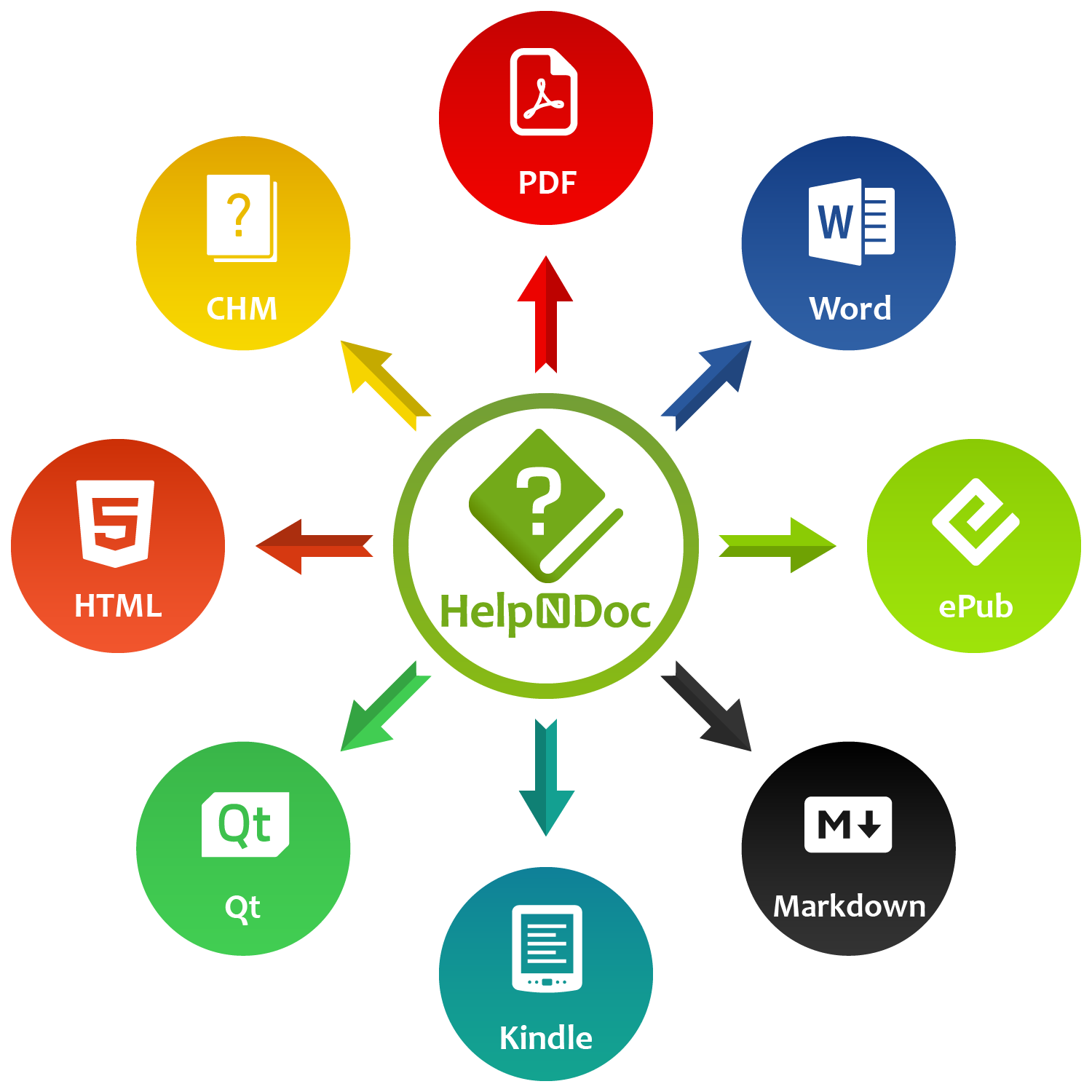
Whether you need to create a compiled CHM help file, an on-line full HTML documentation, a printable PDF or Word documentation, an eBook, cross-platform Qt help files or Markdown documents, HelpNDoc has you covered: write once and export to multiple formats by the click of a button!
Generate multiple formats
Once you have written your documentation, HelpNDoc can automatically generate Microsoft CHM help files, standard HTML documentation pages, complete Word or PDF document, cross-platform Qt Help, Markdown documents or whole eBooks without any extra work from your part: HelpNDoc takes care of everything and produces your documentation, manual or book the way you designed it.
Powerful template system
Every single aspects of the documentation output can be tailored to fit your design requirements. As a testimony of how powerful the template system is, HelpNDoc comes with the full source code for templates to generate an on-line HTML documentation or a specific iPhone designed web-site: everything is controlled by the templates.
CHM help file generation
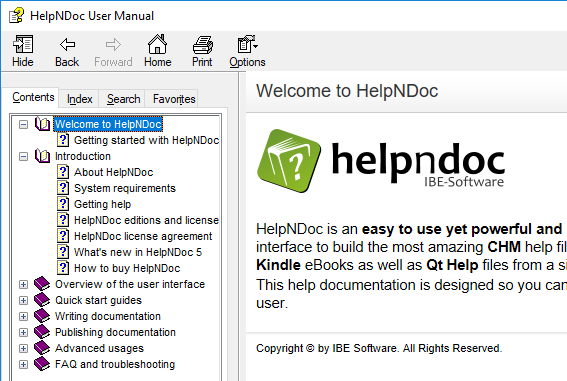
Microsoft Compiled HTML Help files (*.chm) are bundled with every Windows application to provide technical assistance and user guidance. Microsoft provides the HTML Help Workshop software to create CHM files but it is a very old, complex, buggy and unmaintained piece of software. HelpNDoc works very hard to encapsulate everything for you and it becomes as easy as pushing a button to produce a standard redistributable compiled CHM file.
Responsive HTML web sites
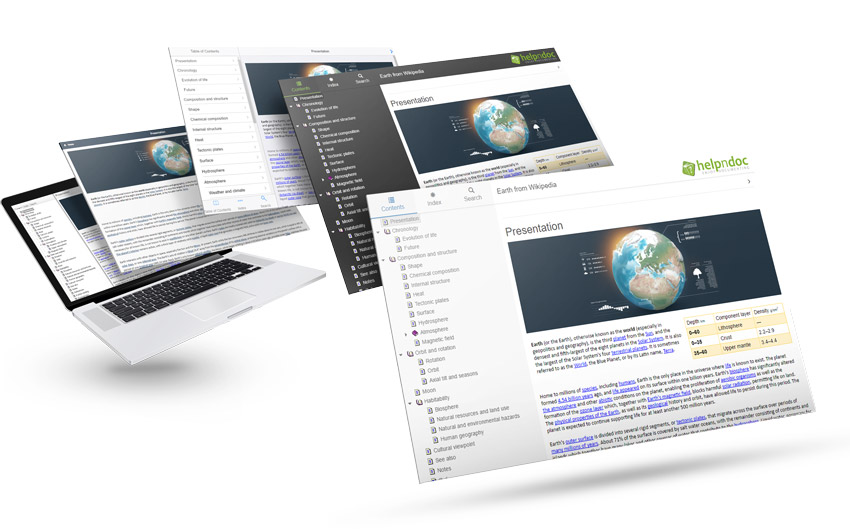
Upload your documentation to any web server for millions of people to see by the click of a button. HelpNDoc will generate the most unbelievable responsive HTML 5 help web sites based on template instructions. Want a frame based documentation instead? A single page HTML help file? Need a commenting or notation system? Perhaps add a special header or footer? Just instruct HelpNDoc to do so and it will gladly comply.
Import and Export Markdown documents
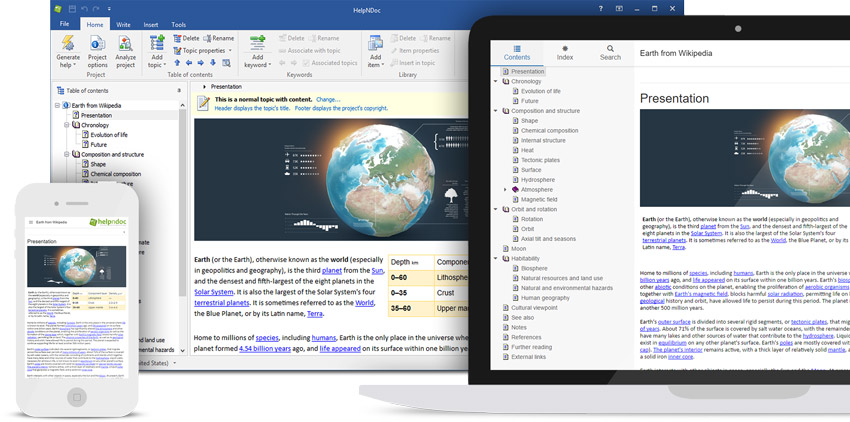
Markdown is used by a variety of audiences, including software developers and technical writers as it is a simple formatting syntax that focuses on content rather than style. However, it has several shortcomings when used as a documentation format. That’s where a help authoring tool such as HelpNDoc comes in: HelpNDoc can import, edit and export Markdown documents while providing all the features needed to produce high-quality, structured, and error-free documentation in a short amount of time.
Microsoft Word documents
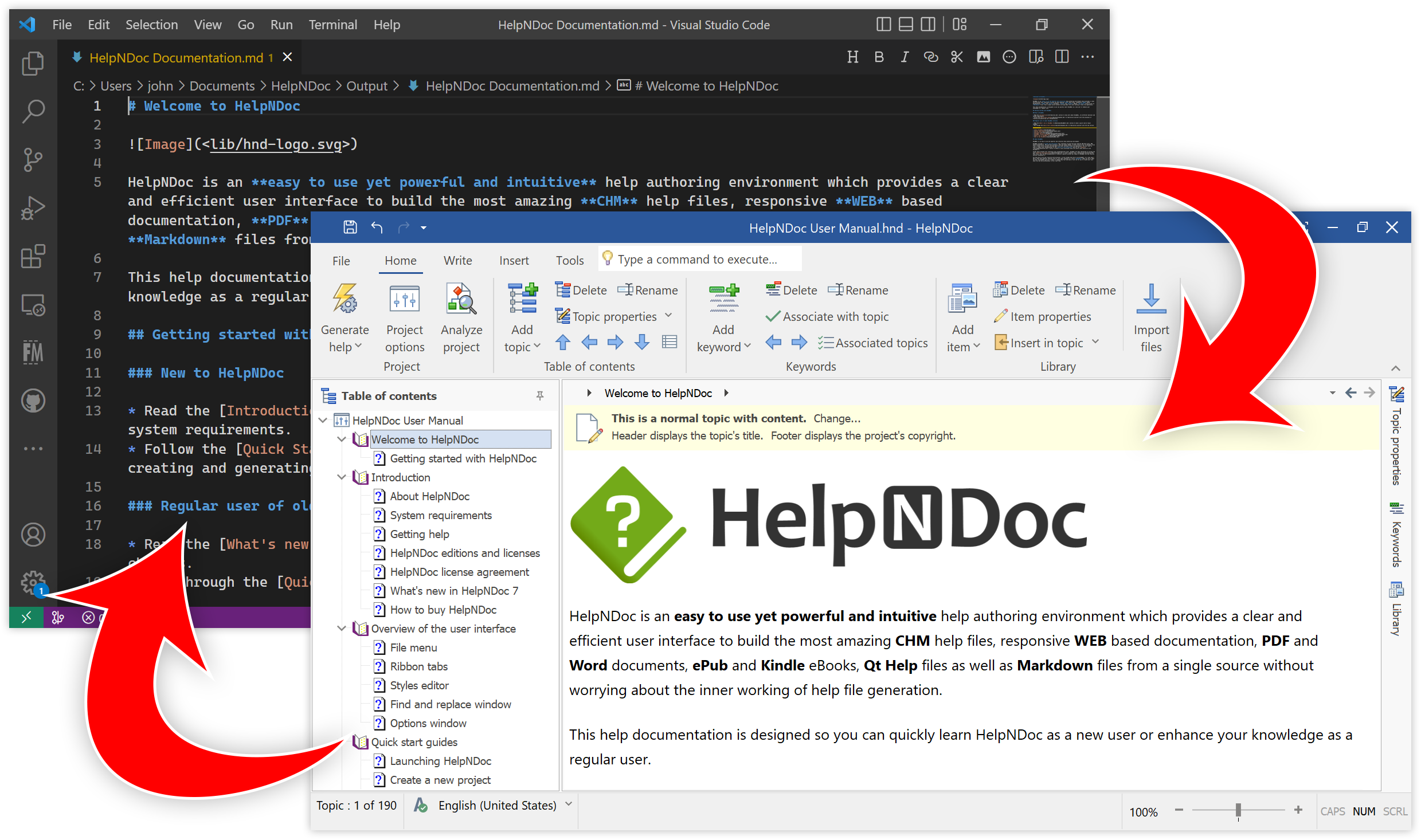
If you need to integrate your documentation with existing Microsoft Word documents or further tailor it, HelpNDoc has you covered: it contains a generator able to produce standard Microsoft Word DocX from the exact same input you added in HelpNDoc. Generated documents can be easily customized using the powerful template system.

Produce PDF documentation
HelpNDoc knows how to generate PDF documentation and does it very well by providing amazing control over the process: choose the compression and encryption level, define user permissions, font embedding settings as well as Adobe Reader’s viewer layout right within HelpNDoc.

Generate complete iPhone websites and documentation pages
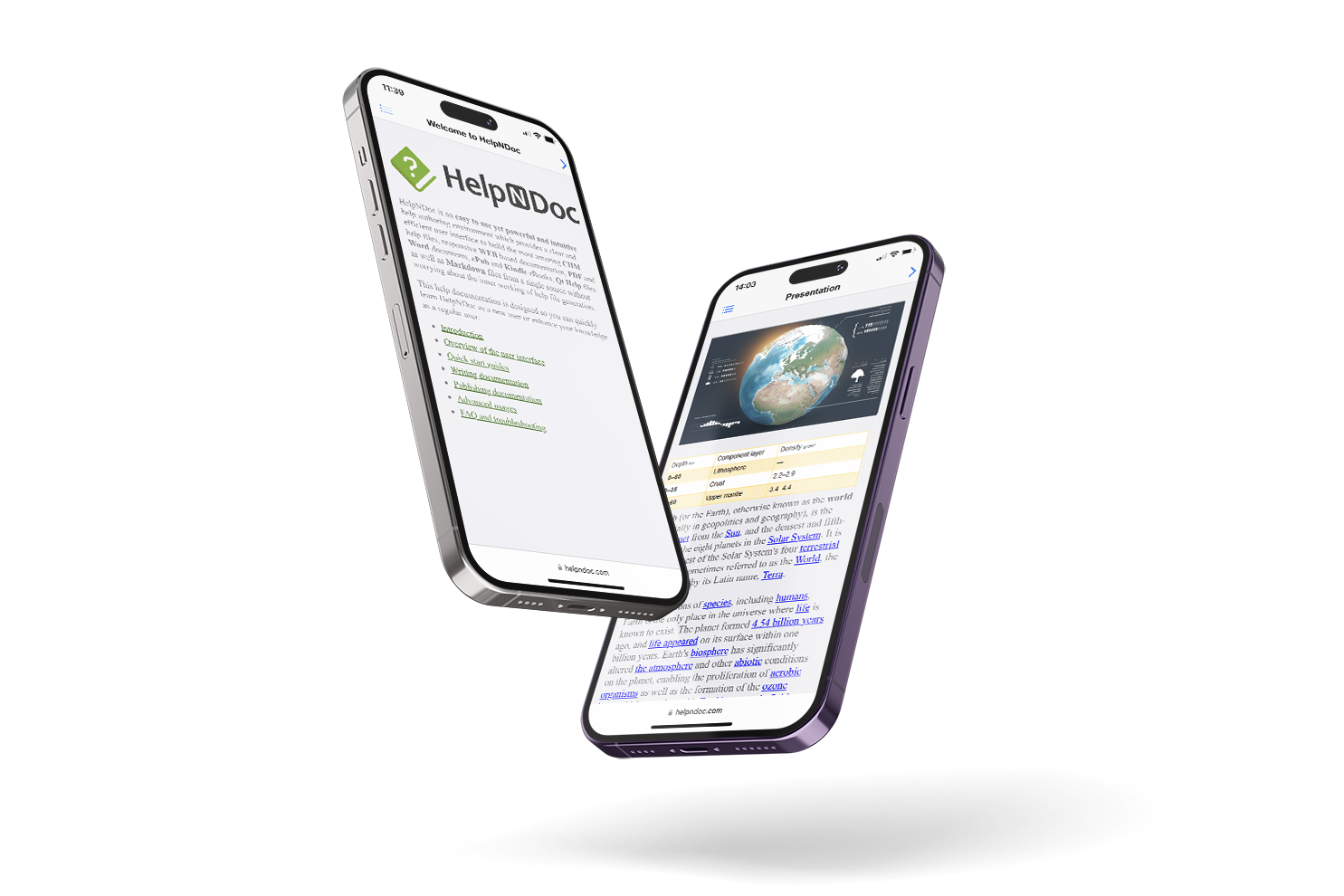
HelpNDoc’s template system is so powerful that it includes a complete iPhone documentation template bundled by default. This makes it possible to generate amazing iPhone web-sites and documentation pages without any extra work from your part: the template takes care of everything including respecting Apple’s guidelines in terms of iPhone application look and feel. The generated documentation will look like a native iPhone application and will benefit from all of iPhone’s features including touch-screen support.
Generate ePub eBooks compatible with the iPad
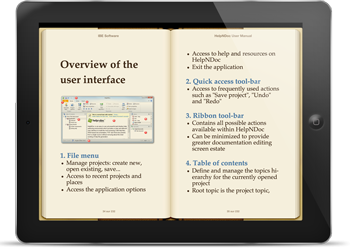
The ePub eBook specification is used by the vast majority of e-Reader devices as their default file format. HelpNDoc lets you customize and produce ePub eBooks extremely easily: optionally choose a book cover from your media library and hit a button: your eBook is built and ready to be published. E-Readers compatible with the ePub format include the iPad, the iPhone, the Nook and the Kobo eReader amongst many others. The ePub format produced by HelpNDoc is compatible with all of them.
Produce Kindle compatible eBooks with ease
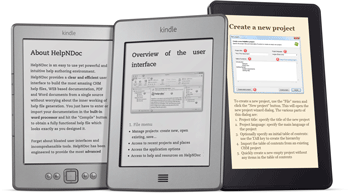
HelpNDoc can generate eBook files compatible with Amazon’s Kindle: do not worry about e-Readers incompatibilities, HelpNDoc will do the hard work for you. No matter which model you are targeting: the Kindle, the Kindle Touch and the Kindle Fire will be happy to display the book, manual or documentation you have been writing using HelpNDoc. You can concentrate on writing the best content for your publication knowing that HelpNDoc will handle the task of producing it after clicking a button.
Generate cross-platform Qt Help manuals
The Qt framework is used to easily and rapidly create cross-platform software and it features a very powerful self-contained documentation system, named Qt Help. HelpNDoc can leverage the Qt Help framework to easily produce cross-platform documentation: create a new Qt Help build in your project, tailor your build’s look and feel and hit “Generate”. Done! HelpNDoc has done all the hard work of producing the required source code and compiling it using the Qt Help framework for you.
Powerful tools and helpers
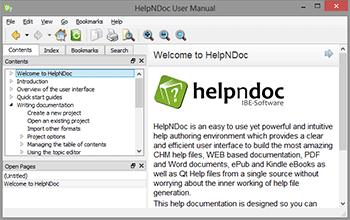
HelpNDoc comes with many tools to help you write the most beautiful and complete documentation as fast and easily as possible.
Rapidly spot and solve problems in your documentation
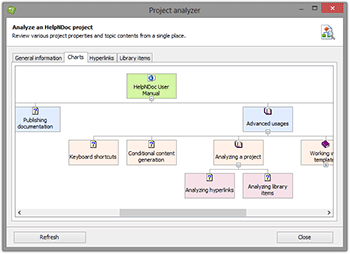
Stay on top of potential problems by leveraging HelpNDoc’s project analyzer to check for broken or misspelled links, missing or duplicate media elements and to review important project statistics in straight-forward customizable reports. The project analyzer is a central hub reporting many useful information about an help, manual or documentation project: all hyperlinks and library items are listed in sortable and filterable lists to rapidly spot problems. A visual representation of the topic hierarchy is also available for fast review.
Let HelpNDoc do the hard work by automating repetitive tasks
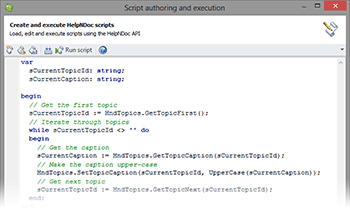
Everything is scriptable in HelpNDoc: creating and managing projects, topics, library items, keywords… Thanks to the script editor, it is possible to easily automate repetitive tasks and handle extreme scenarios rapidly. HelpNDoc’s API provides extensive support for every aspect of your HelpNDoc project and is accessible through easy to learn Pascal commands. You need to re-order topics ? Create a bunch of new topics programmatically ? Replace all library items ? Just launch the Script Editor, type in some instructions and hit run: HelpNDoc will do the hard work for you.
Program wide live spell check
Benefit from the quality and quantity of the OpenOffice.org dictionaries right within HelpNDoc: the live spell checker will instantly notify you if a spelling error is found anywhere that matters: the table of contents, topic contents, keywords, library items… are some of the places where the live spell checker gets your back.

Live insertion at generation time
HelpNDoc’s library system is so powerful that it can either include the items inside the project, or dynamically at generation time. This means that any picture, movie or document can be inserted right into your topics when generated thus allowing more flexibility about the content of your documentations.

Powerful reusable variables
Variables are place-holders for textual content which you can place anywhere in your documentation. The place-holder will be replaced at generation time by the actual value of the variable. Don’t know how your next application will be called when released ? Just add a variable named “Application Name” throughout your documentation and change its value when the final name has been chosen.

Find and replace by library item
Nothing is more tedious than going through all the documentation topics to find and replace the one little text that has changed. HelpNDoc greatly simplifies that process by being able to replace any textual item by a library item: this means texts, pictures, movies, variables, HTML code snippets or documents will replace your searched text automatically in a second.

Code generation for various programming languages
Speed up help integration with your application by generating code for various programming language to easily and rapidly access the required topic.
Many languages included
HelpNDoc will automatically generate source code to easily associate help IDs and context numbers for various programming languages including: C/C++ (constants, defines, enums), Delphi/Pascal, Fortran 90/95, PowerBASIC (constants, enumerations, enumerations singular) and Visual Basic (constants, enums).

Add your language template
Leverage the powerful template engine to add support for your own programming language: a few simple lines of code will instruct HelpNDoc on how you’d like it to be generated. HelpNDoc will understand your template and generate the required files for you. There is almost no limit with HelpNDoc’s template engine.
Completely free for personal use
HelpNDoc has one of the most generous license amongst help authoring environments as it is available completely free for personal and evaluation purposes.
Use HelpNDoc for free
Once you download HelpNDoc Personal Edition, you won’t see any nag screen, trial expiration message or registration form: HelpNDoc is completely free without any limit in time. The only restrictions are that the Personal Edition can’t be used for commercial or profit purposes and a discreet banner is added at the bottom of each topic.

Try it as long as needed
We have nothing to hide with HelpNDoc and we are confident you’ll enjoy it so much that we allow everyone to try it as long as needed before making up their mind: HelpNDoc Personal Edition is the whole deal and can be used to see if the program fits your needs before you choose to order it.