You already have the latest version.
Congratulations!
Explore the various step-by-step guides to learn more on how to use HelpNDoc.
A new version is available.
Download the free update now.
Explore the various step-by-step guides to learn more on how to use HelpNDoc.
A new version is available.
Download it now from the customers’ section.
Explore the various step-by-step guides to learn more on how to use HelpNDoc.
Latest version's change log
Version 10.4.0.281 – Release date: Mar 3, 2026
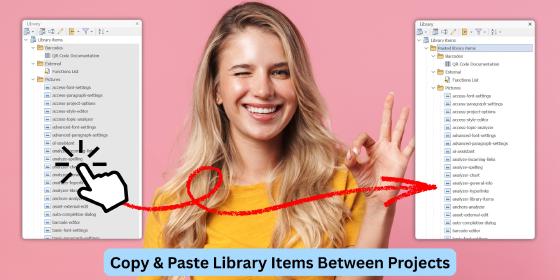
- New copy and paste operations for library items, supporting both within-project and cross-project use, and optimized for large libraries
- Added true AND support for required terms (+word) and full quoted-word matching in the default HTML template's built-in search engine, and fixed several edge-case filtering and exclusion bugs
- Added optional accent-insensitive search to the default HTML template, allowing unaccented queries to match accented words
- Added breadcrumb hierarchy hints to the auto-completion dialog: hovering over a topic now reveals its full path to help differentiate similar items
- Hovering over a Reference now displays content from both its HTML and Report formats
- Equation editor improvements: Faster performance, enhanced accessibility, improved scientific-notation handling with auto-formatting, plus multiple bug fixes
- Fixed an issue where hidden topics in the table of contents were still included in the exported Markdown table of contents
- Resolved an issue causing HTML documentation anchor links to scroll to the wrong position after page load in some cases
- Improved accessibility in the default HTML template by correcting ARIA keyboard navigation so the first valid search result receives focus when the user tabs into the results
- HTML search engine performance has been enhanced through internal preprocessing and scoring optimizations, making repeated and complex queries noticeably faster
- HTML search engine now handles repeated required words correctly: entering the same +required term multiple times behaves like a single requirement and no longer changes filtering or ranking
- HTML search engine with equal-score search results now use a stable topic order, giving consistent and predictable result lists across runs
- Improved usability and accessibility of the HTML template's tree controls, including smoother keyboard navigation, clearer focus behaviour, and better screen-reader support
- Corrected the behavior of open/save file dialogs that could lead to Access Violation errors under certain environments
- Hardened the HTML template JavaScript library to safely handle edge cases in both default and custom templates
- Resolved a bug that caused some hints to render without content in the topic editor