We are excited to announce the immediate availability of HelpNDoc 10.2, a release that fundamentally changes how technical writers interact with their authoring tools. The AI Assistant has graduated from a helpful chatbot to a capable project agent, now able to directly modify your project’s structure, topics, and keywords. We’ve also introduced a non-modal AI window for seamless multitasking, enhanced the Topic Analyzer with history navigation, and delivered a suite of improvements to the scripting engine and PDF generator.
As always, HelpNDoc is free for personal use and evaluation, so download HelpNDoc 10.2 today to experience these powerful new workflows firsthand.
🤖 From Chatbot to Agent: An AI That Manages Your Project Structure
The AI Assistant has evolved from a passive chat interface into an active project management agent, capable of executing complex administrative tasks on your behalf.
![AI Assistant Tools Calling [assistant] [Featured]](/news-and-articles/2025-12-09-active-ai-agents-non-modal-multitasking-and-enhanced-navigation-tools-in-helpndoc-10.2/images/ai-assistant-tools-calling.jpeg)
In previous versions, the AI Assistant was an excellent tool for generating text and answering questions. In HelpNDoc 10.2, it gains direct access to your project’s data. You can now instruct the AI to reorganize your documentation structure, generate new topics based on specific criteria, or audit and mass-associate keywords. For example, you can ask the AI to “Create a new keyword linking every topic in the API category,” and it will execute the changes programmatically.
We have also improved the connectivity of the Assistant. The configuration dialog can now automatically retrieve and list all available models from your configured endpoint, ensuring you always use the best model for the job. Furthermore, the AI now correctly interprets internal links, allowing you to click a citation in the chat and jump immediately to that specific topic in your project.
Previously, opening the AI Assistant blocked access to the main HelpNDoc interface, requiring you to close the chat to apply changes or check information. With HelpNDoc 10.2, the AI window now “floats” on top of the application but no longer locks the interface. This significantly improves productivity, as you can now copy content from your topics, browse the table of contents, or check project settings while maintaining an active conversation with the Assistant.
🧭 Navigate with Precision: Enhanced Breadcrumb History in the Topic Analyzer
Navigating through the history of analyzed topics is now more intuitive with the addition of back and forward arrows in the breadcrumb bar.
![Enhanced breadcrumb history [breadcrumb]](/news-and-articles/2025-12-09-active-ai-agents-non-modal-multitasking-and-enhanced-navigation-tools-in-helpndoc-10.2/images/enhanced-breadcrumb-history.jpeg)
When performing deep audits of your documentation (such as inspecting incoming links) it is easy to lose your place. The updated Topic Analyzer now features navigation arrows in the breadcrumb bar, allowing you to retrace your steps seamlessly. This ensures you can traverse your navigation history without losing context or needing to manually search for a previously viewed item again. We’ve also resolved an issue where history navigation could occasionally focus on the wrong topic, ensuring a rock-solid auditing experience.
⌨️ A Superior Scripting Experience: Smarter Validation and Better Editing Tools
To help maintain clean and error-free automation, the internal script engine now includes static analysis capabilities and improved editing tools.
![Improved script warning [script]](/news-and-articles/2025-12-09-active-ai-agents-non-modal-multitasking-and-enhanced-navigation-tools-in-helpndoc-10.2/images/improved-script-warning.jpeg)
For those who use HelpNDoc’s powerful scripting capabilities, the engine will now automatically detect and warn you about unreachable code (such as logic following an exit statement). This proactive validation helps keep your scripts and templates lean and bug-free. Additionally, the dynamic content editor has been streamlined with a full context menu (Cut, Copy, Paste) and robust Find and Replace support. Python users will also appreciate updated syntax highlighting that now supports modern features like the match-case statement.
🛠️ Core Improvements: PDF Upgrades, UI Polish, and Enhanced Stability
HelpNDoc 10.2 includes a host of under-the-hood optimizations to ensure your documentation pipeline is faster, better looking, and more reliable.
This release features a significantly upgraded PDF rendering and export pipeline, resolving potential bottlenecks and ensuring higher stability for large projects. We’ve also polished the user interface for Dark Mode and High-DPI users, correcting scaling issues and graphical glitches.
This release also reinforces the application’s foundation with a collection of targeted improvements designed to enhance daily reliability. Users can expect more accurate HTML imports when dealing with complex lists, alongside cleaner, more consistent Excel exports from the Project Analyzer. Under the hood, we have optimized cryptographic routines for superior security and speed, while also resolving specific timing issues to ensure a smooth and error-free shutdown every time.
🚀 Download HelpNDoc 10.2 Today
HelpNDoc 10.2 is available for free for personal use and evaluation purposes: try it now!
Whether you are looking to automate your workflow with the new AI agent capabilities or simply need a more robust and efficient authoring environment, HelpNDoc 10.2 delivers the tools you need.
👉 Download HelpNDoc 10.2 today and streamline your technical writing process.
Want to create great documentation?
HelpNDoc is free, fully functional, and easy to use.
Produce your first multi-format documentation in the next minute or so.
Change log
Version 10.2.0.196 – Release date: Dec 9, 2025
- The AI Assistant can now use built-in tools to access project data, manage topics and keywords, and associate or dissociate keywords with topics
- The topic analyzer breadcrumb now includes navigation arrows for quickly jumping to previously viewed topics
- Updated script engine to automatically detect and display warnings for unreachable code
- The AI assistant now correctly interprets internal and external hyperlinks and redirects users to the appropriate resource when clicked
- The dynamic content editor now includes a popup menu with Cut, Copy, Paste, and Select All options, and it also adds support for Find and Replace
- The configuration dialog can now retrieve and display all models offered by the AI Assistant’s configured endpoint
- The AI assistant form has been converted to a non-modal window: it stays on top but no longer blocks interaction with the main window
- Upgraded the PDF rendering and export pipeline for better reliability, stability, and efficiency during document creation
- Resolved an intermittent issue where using the breadcrumb history navigation arrows could result in the wrong topic being focused
- Resolved an issue that occasionally caused complex list items to appear incorrectly when importing HTML content
- Updated the application's interface to correct dark mode drawing issues and ensure UI elements scale properly across different display settings
- Improved visuals and responsiveness of the code editor, fixing display issues and refining icons, zoom, and scrollbar behavior
- Improved the reliability of Excel (.XLSX) exports in the project analyzer to ensure more consistent and accurate data output
- Refactored and optimized low-level cryptographic routines to enhance execution speed, strengthen security measures, and improve overall system robustness
- Enhanced Python syntax highlighting with support for newer language features, including the match-case statement
- Fixed a rare timing issue that occasionally caused an error during application shutdown
- Fixed an issue where updates to the AI Assistant's model selection made in the options dialog were not being persisted
See also...
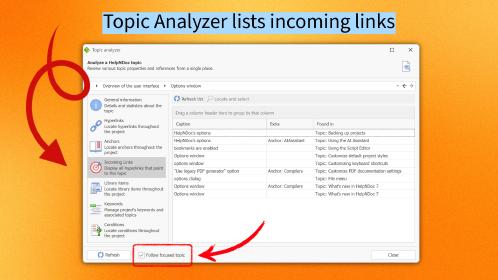
HelpNDoc 10.1 Introduces Incoming Link Tracking in the Topic Analyzer and New Bookmarks for Faster Navigation
We are pleased to announce the release of HelpNDoc 10.1, the latest update to our popular help authoring tool. This version introduces several key improvements designed to make content management, …
Read More →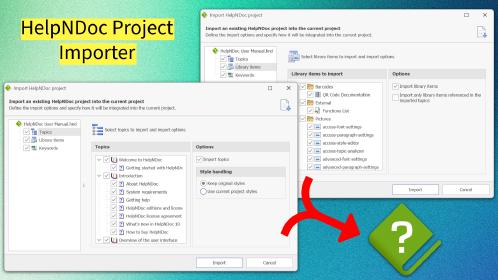
Import Projects, Organize Topics Faster, Export AI-Friendly Markdown, Style Images with IDs & Classes, and more in HelpNDoc 10.0
We are thrilled to announce the release of HelpNDoc 10.0, a major milestone in the evolution of our help authoring tool. Packed with powerful new features, smarter workflows, and important fixes, this …
Read More →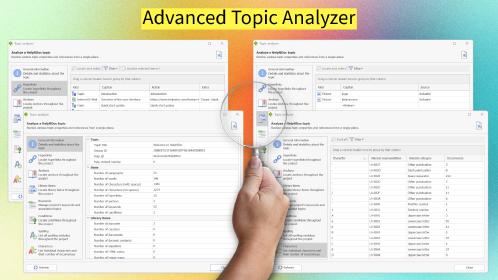
Analyze Topics in Depth, Reorder Tables with Ease, Productivity Enhancements, and More in HelpNDoc 9.9
We’re thrilled to announce the release of HelpNDoc 9.9, a feature-rich update that brings even more power and precision to your documentation workflow. This version introduces a brand-new Topic …
Read More →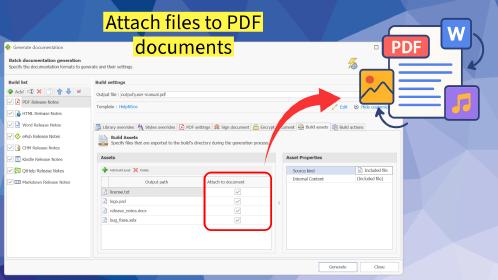
HelpNDoc 9.8: PDF File Attachments, SVG Editing, and Major Performance Fixes
The latest version of HelpNDoc is here, and it brings something for everyone! HelpNDoc 9.8 introduces the ability to attach files to generated PDF documents, adds SVG support to the image editor, …
Read More →