As we approach the end of 2025, it is time to look back at a monumental year for HelpNDoc. This year was defined by the transition to the milestone version 10, a leap forward that brought sophisticated project management tools, next-generation HTML publishing, and deep Markdown integration. We also witnessed the AI Assistant evolve into an active agent capable of autonomously managing project structures. Alongside these major shifts, we introduced essential workflow enhancements, such as PDF attachments, native JSON support, and rigorous topic analysis. Let’s recap how HelpNDoc empowered technical writers and developers throughout 2025.
🚀 HelpNDoc in 2025: A Year of Innovative Updates
2025 was a landmark year for HelpNDoc, marked by a series of groundbreaking updates and new features. These enhancements have elevated HelpNDoc’s capabilities and significantly transformed the experience of creating and managing documentation for users worldwide.
HelpNDoc 9.6: Print, Export, and Automate Your Way to Better Documentation
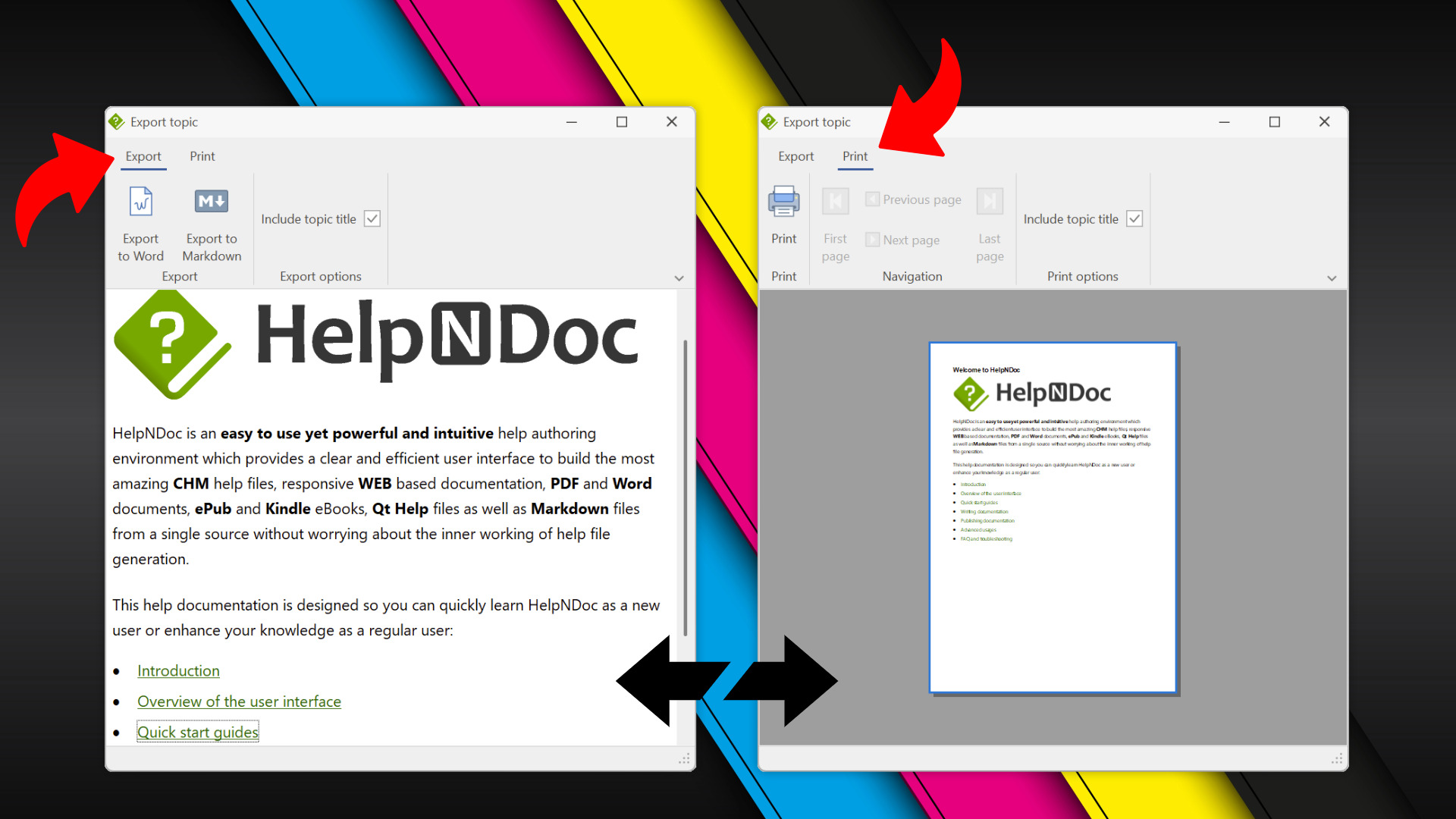
HelpNDoc 9.6 kicked off the year with a focus on flexibility and automation. It introduced the ability to print and export individual topics to Word or Markdown, allowing for quick sharing of specific content without generating the entire project. Additionally, the release brought native JSON support for seamless scripting and automation, as well as a new training material project starter kit.
HelpNDoc 9.7: Streamlined Build Asset Management and Table Formatting Defaults
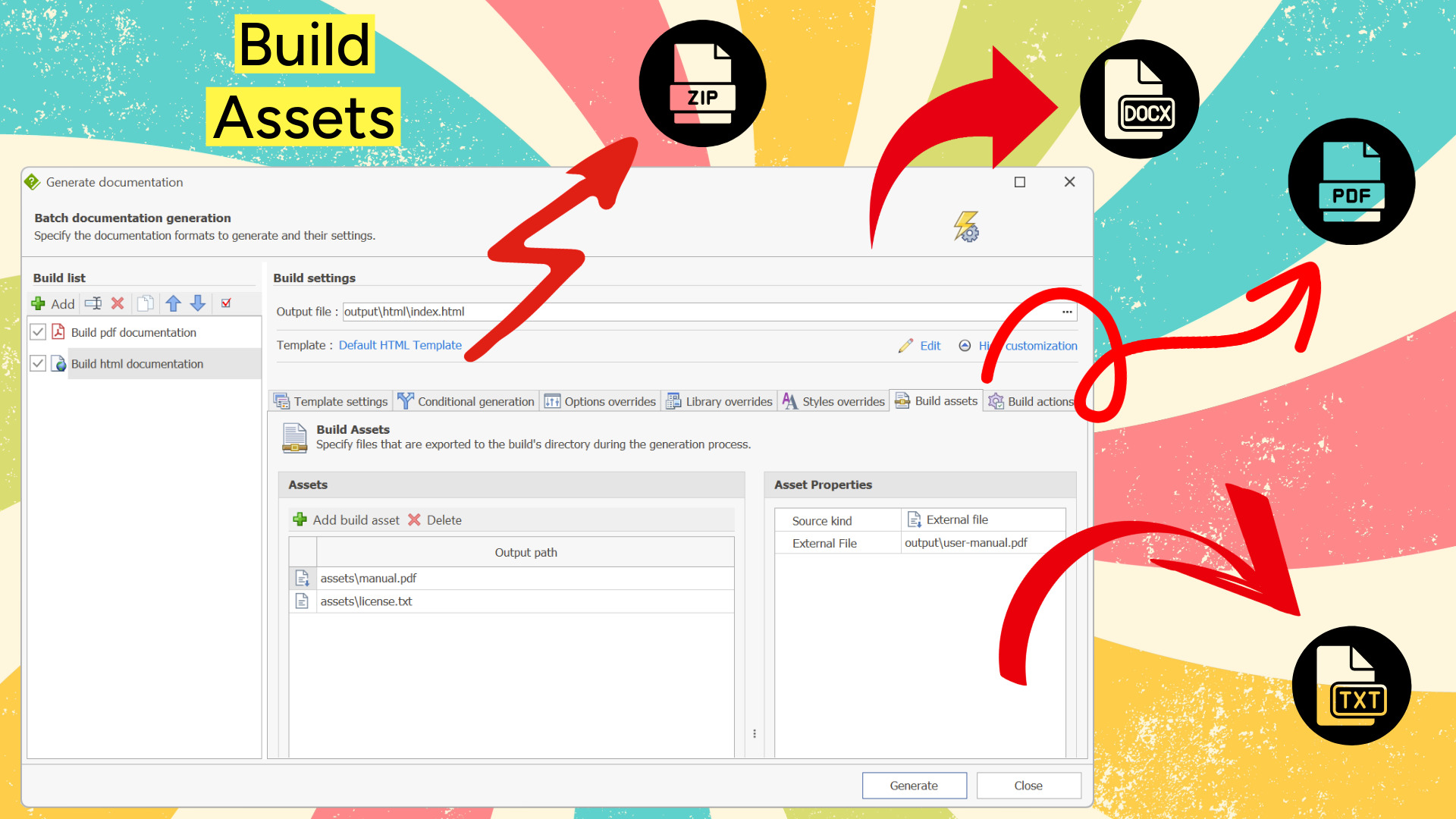
In February, HelpNDoc 9.7 arrived with powerful tools to organize documentation workflows. The new Build Assets Management system allowed users to assign specific external files (like PDFs or media) to individual builds. This update also introduced default table settings to automate formatting consistency and enhancements to the script editor, including multi-caret editing for faster code manipulation.
HelpNDoc 9.8: PDF File Attachments, SVG Editing, and Major Performance Fixes
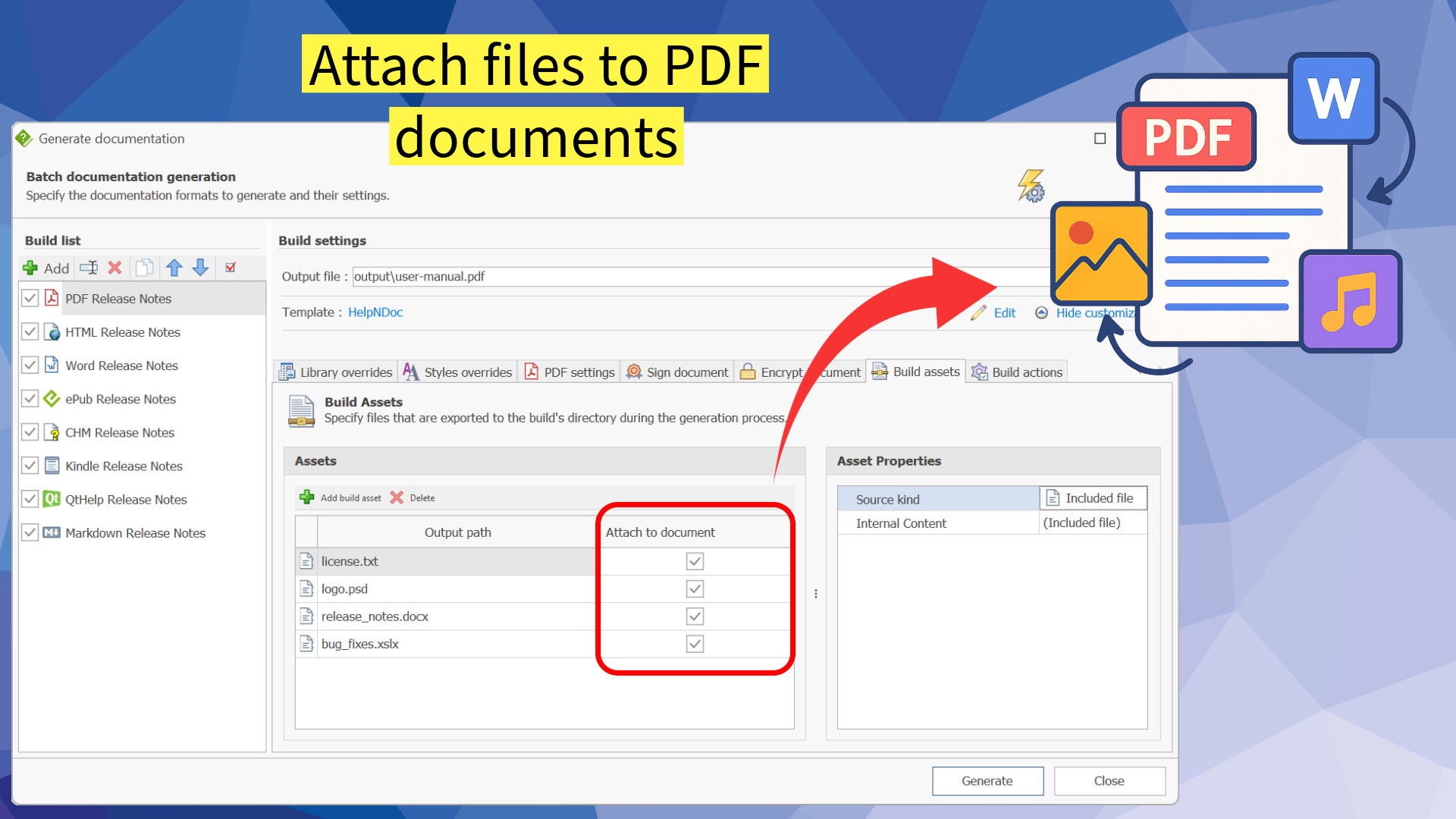
HelpNDoc 9.8 focused on enriching PDF outputs and visual editing. Users gained the ability to attach external files directly to generated PDF documents, creating comprehensive documentation packages. The image editor was upgraded to support SVG files and customizable ruler units, while significant performance optimizations ensured a smoother experience throughout the application.
HelpNDoc 9.9: Analyze Topics in Depth and Reorder Tables with Ease
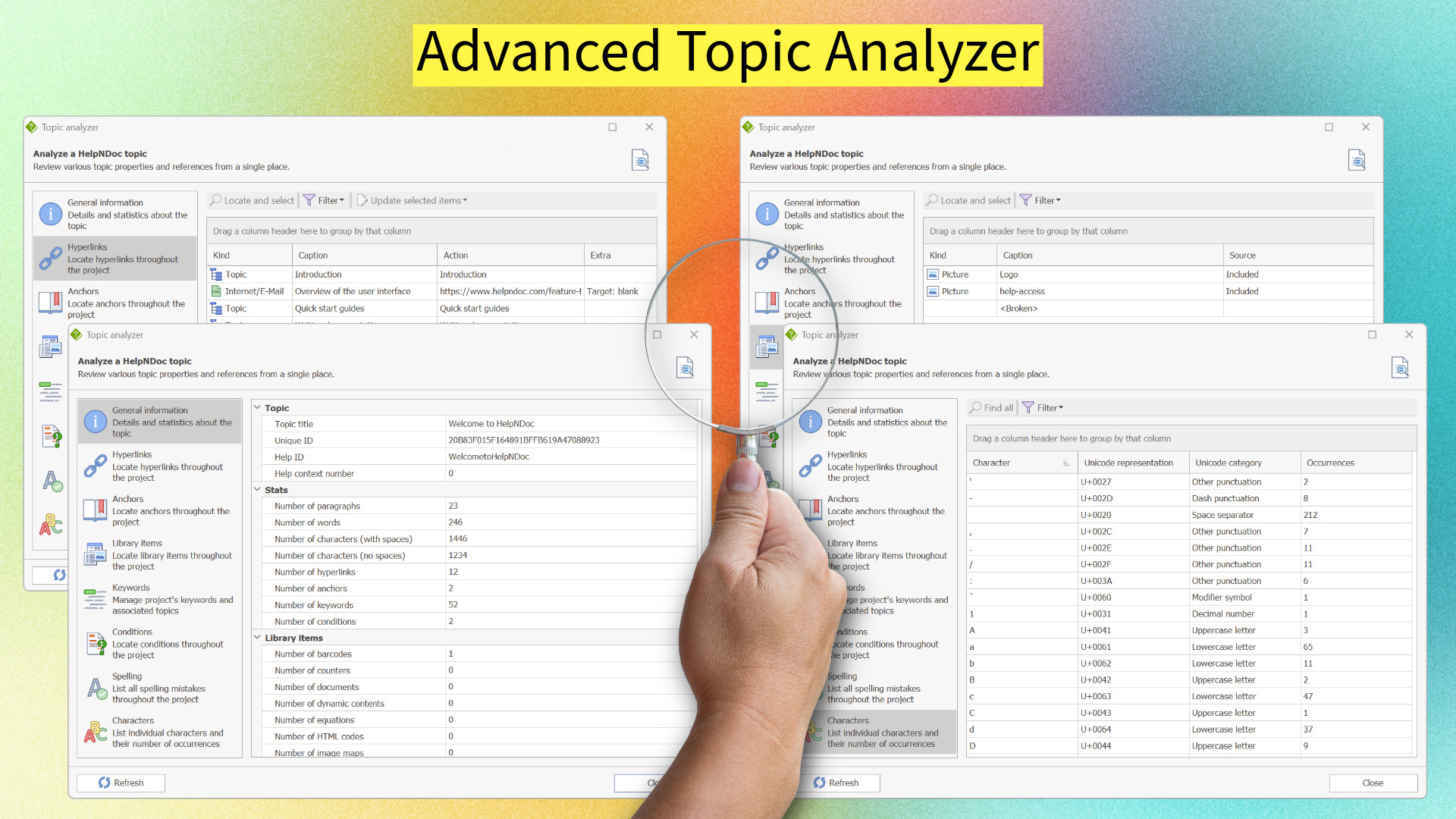
May saw the release of HelpNDoc 9.9, featuring a brand-new Topic Analyzer for targeted, in-depth reviews of individual topics, including hyperlink and keyword analysis. The update also improved table manipulation with tools to easily move rows up or down, and enhanced the script editor with automatic bracket completion and font ligatures for cleaner coding.
HelpNDoc 10.0: Import Projects, Organize Topics Faster, and Export AI-Friendly Markdown
Marking a major milestone, HelpNDoc 10.0 introduced a revolutionary Project Importer for selective content reuse and a Markdown-first workflow optimized for AI pipelines. This massive release also debuted a Bootstrap 5-powered HTML template for modern, secure web documentation, and added the ability to assign IDs and classes to images for precise styling control.
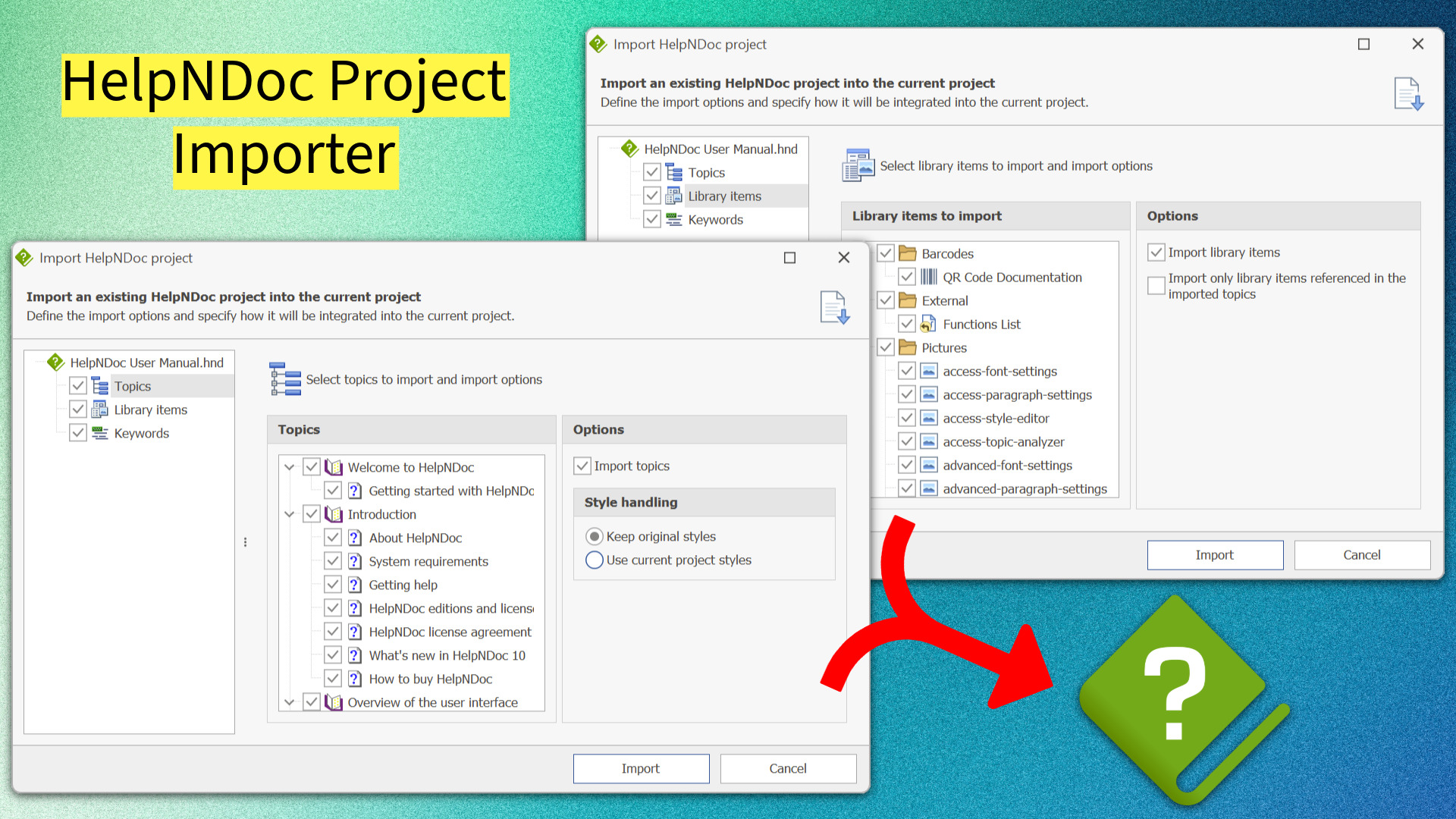
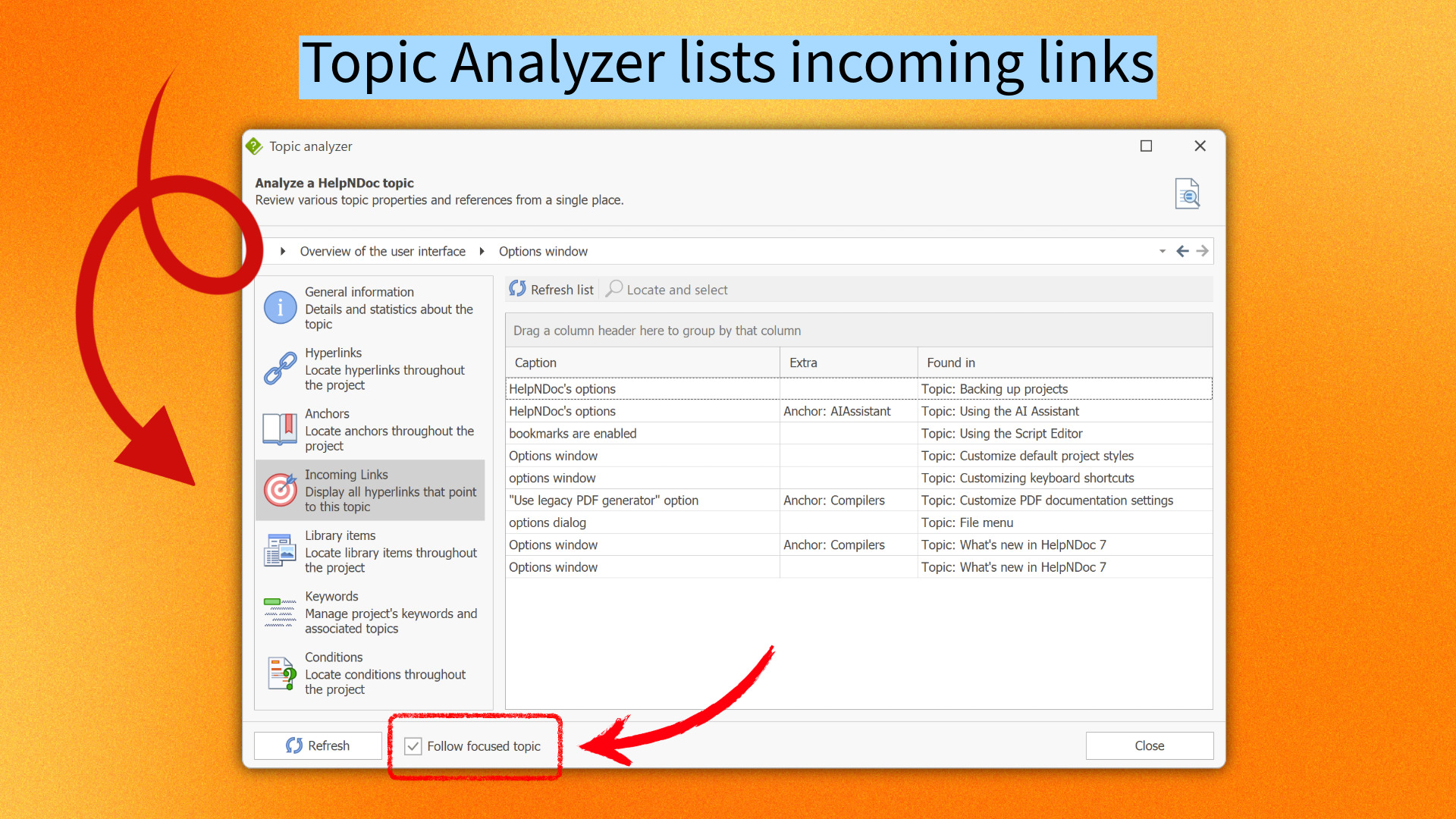
HelpNDoc 10.1: Incoming Link Tracking in the Topic Analyzer and New Bookmarks
In October, HelpNDoc 10.1 refined project navigation and analysis. The Topic Analyzer was enhanced to track incoming links, showing exactly which topics reference the current one. The update also introduced customizable bookmarks for quick access to frequent locations and improved history navigation that restores cursor positions, making it easier to manage large, complex projects.
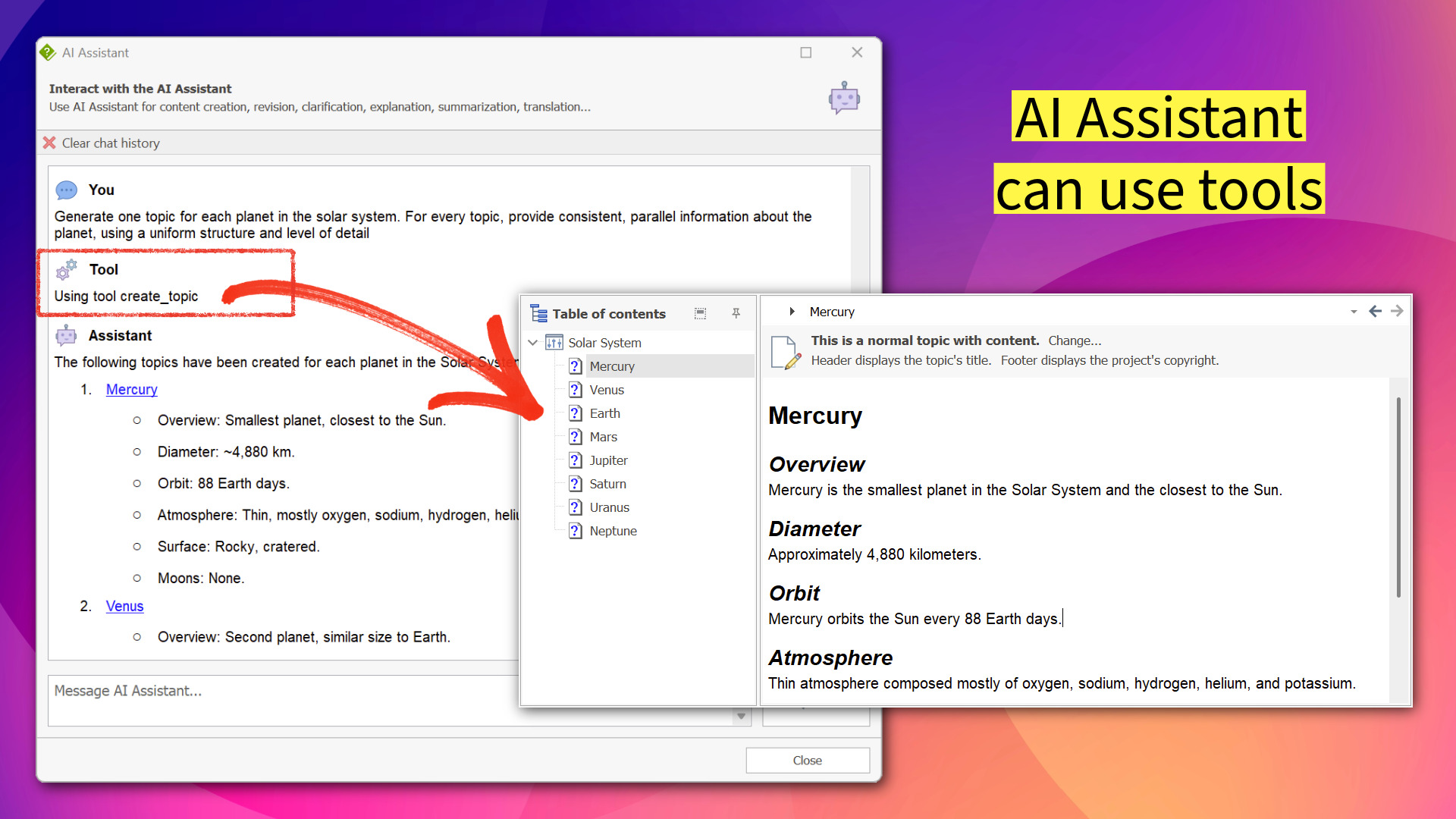
HelpNDoc 10.2: Active AI Agents, Non-Modal Multitasking, and Enhanced Navigation Tools
Closing the year, HelpNDoc 10.2 transformed the AI Assistant from a chatbot into an active project agent capable of modifying keywords and reorganizing topics directly. This release also introduced a non-modal AI window for true multitasking and added history navigation arrows to the Topic Analyzer, significantly streamlining the auditing and editing process.
🖊️ 2025 in Review: Key Insights from HelpNDoc’s Articles
In 2025, HelpNDoc has been at the forefront of empowering technical writers with its comprehensive articles. These pieces, tailored specifically for the HelpNDoc community, have offered invaluable insights and tips, further enhancing the documentation journey for professionals in this field.
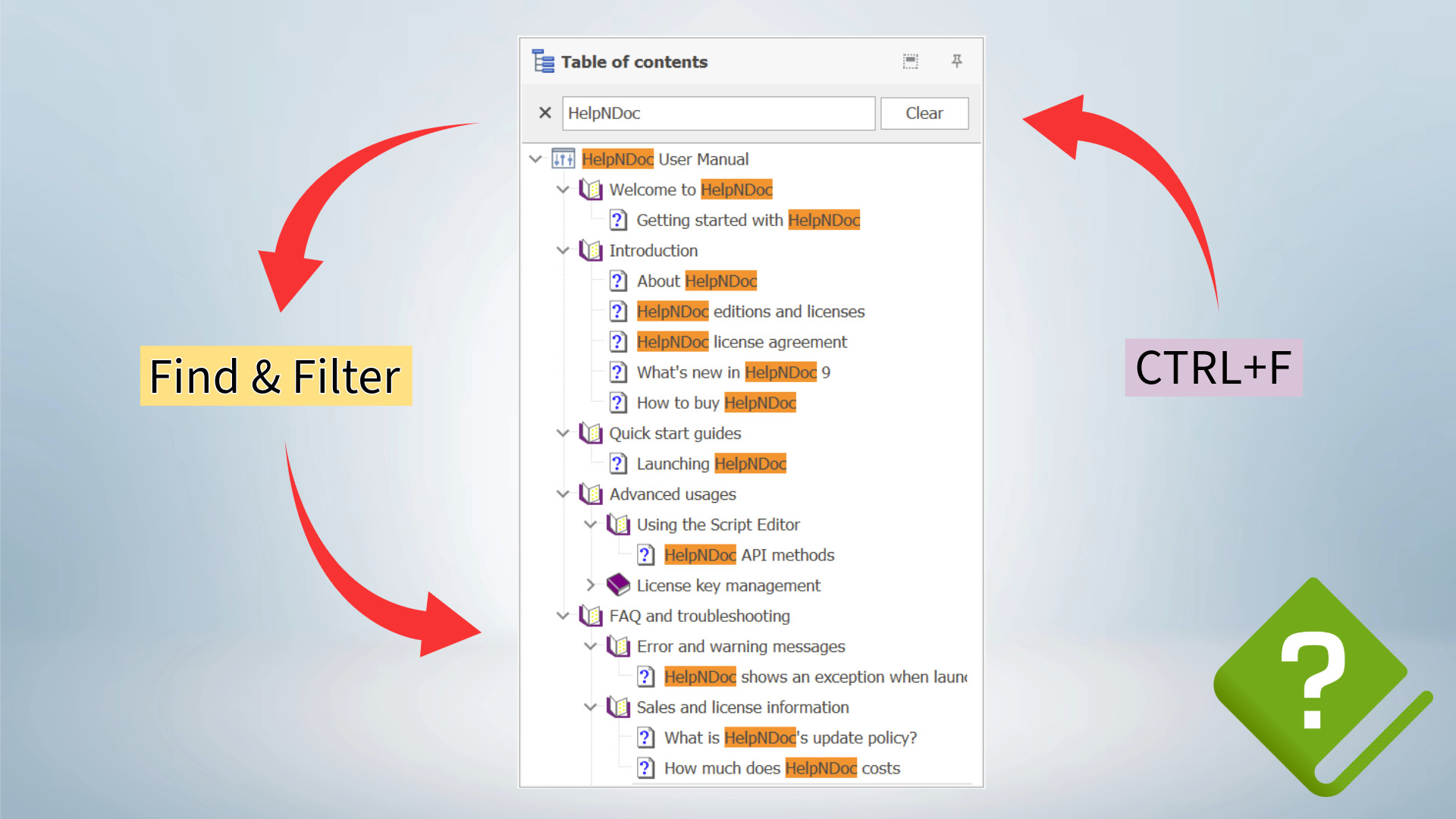
Master Your Documentation Structure with HelpNDoc’s Powerful Table of Contents Editor
This article dives into the Table of Contents (TOC) editor, revealing it as a comprehensive tool for streamlining workflows. It highlights advanced features like live filtering, contextual toolbars, and the Extended TOC mode, which allow technical writers to manage metadata, Help IDs, and topic structures with precision and speed.
Secure Your PDF Documents Effortlessly with HelpNDoc
Security is paramount for professional documentation. This guide explores how to sign and encrypt PDFs directly within HelpNDoc. It details the process of adding digital signatures to verify authenticity and using strong AES encryption to password-protect sensitive content, ensuring compliance and data integrity.

Why International Characters Break in CHM Files And How HelpNDoc Solves It
The legacy CHM format can be challenging for multilingual projects. This article explains why encoding issues occur with non-Western languages and how HelpNDoc’s language settings and “Use Project Charset” feature provide a robust solution. It serves as an essential guide for creating accurate, multilingual CHM help files.

HelpNDoc Table Editor Overview: A Must-Have Tool for Clean, Structured Documentation
Tables are vital for clarity, and this overview demonstrates how HelpNDoc’s Table Editor strikes a balance between simplicity and power. It covers everything from basic layout adjustments to deep customization of cell padding and borders, ensuring that tables remain consistent and professional across all published formats.

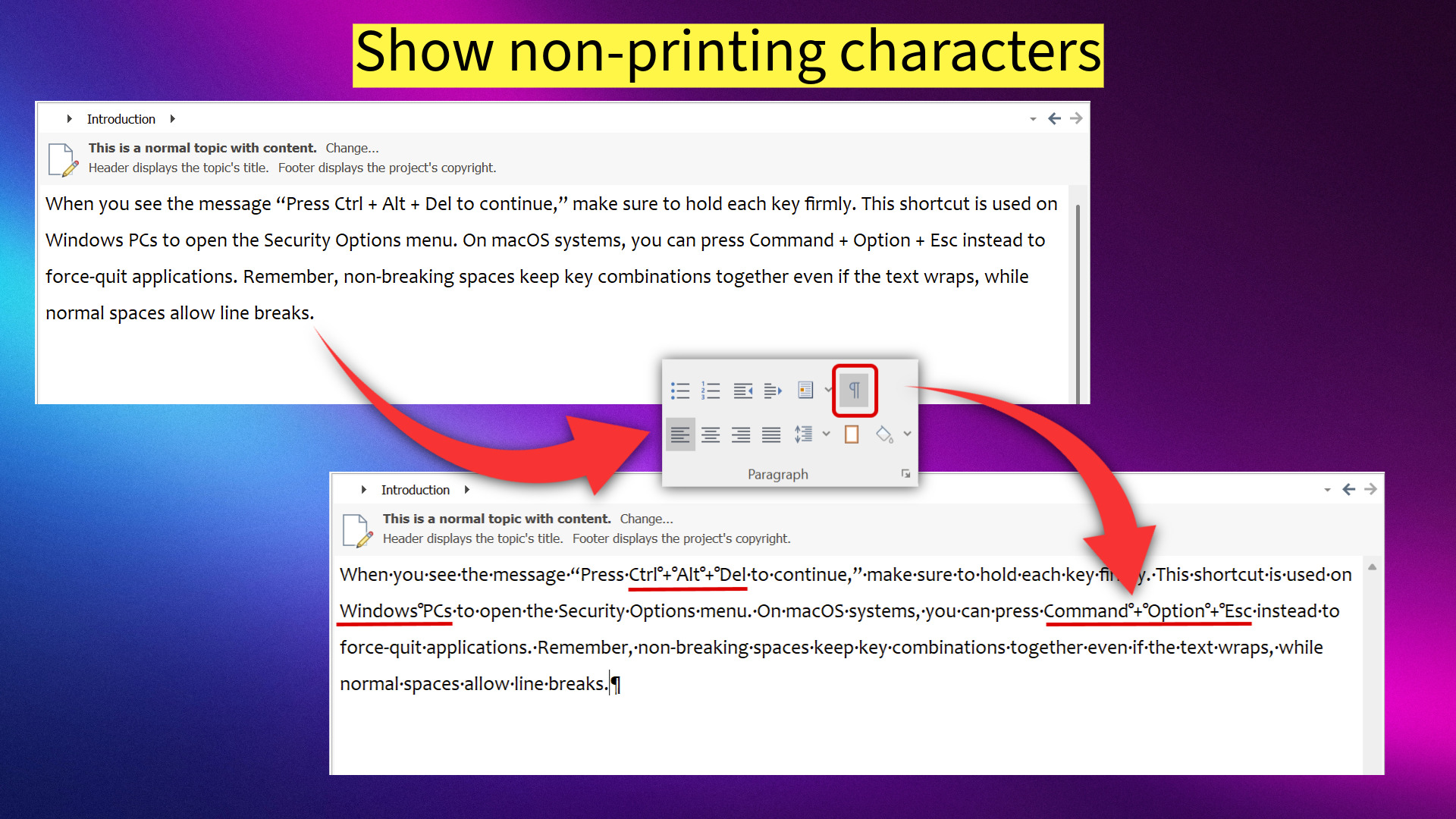
Non-Breaking Spaces: How Technical Writers Can Control Them with HelpNDoc’s Powerful Analyzers
Invisible characters can disrupt layouts unexpectedly. This practical guide shows how to manage non-breaking spaces using HelpNDoc’s Show/Hide Non-Printing Characters toggle and the specialized Characters Analyzer. It empowers writers to detect and fix these hidden formatting issues effortlessly.
Did You Know Your Help Authoring Tool Could Keep Your Documentation and Software in Sync by Generating Code?
Bridging the gap between writers and developers, this article reveals how HelpNDoc can automatically generate source code. It explains how to produce constants and enums for languages like C#, Python, and JavaScript, ensuring that Help IDs and Context numbers remain perfectly synchronized between the documentation and the application.

How to Create Documentation in 15 Minutes with HelpNDoc (Beginner’s Quickstart Guide)
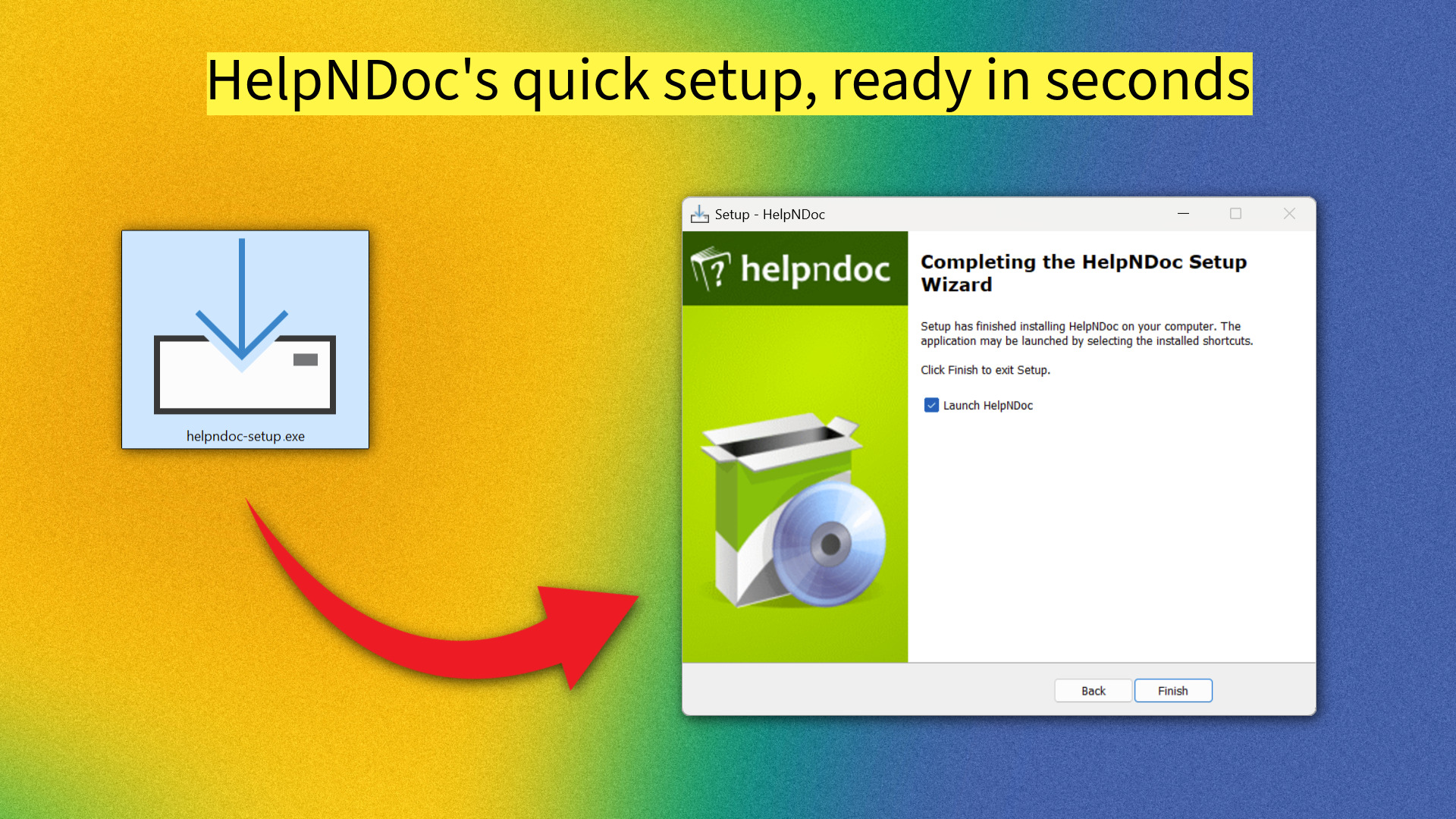
Perfect for new users, this quick-start guide demonstrates how to go from a blank screen to a published manual in just 15 minutes. It covers installation, project structure, content import, and multi-format publishing, proving that creating professional documentation can be fast, easy, and efficient.
🎄 Happy holiday season!
![Happy new year from HelpNDoc team [happy] [Featured]](/news-and-articles/2025-12-16-a-year-of-major-milestones-helpndocs-2025-year-in-review/images/happy-new-year-from-helpndoc-team-2026.jpeg)
As we reflect on a year of transformative updates and shared knowledge, we are grateful for our incredible community. We wish you a festive holiday season and a prosperous New Year! We are already working on exciting developments for 2026 and can’t wait to share them with you.
And don’t forget, HelpNDoc is available for free for personal use and evaluation – the perfect opportunity to explore the new AI capabilities and project tools introduced this year. Download it today and join us on this incredible journey into the future of documentation.
Happy Holidays and a spectacular New Year to you all! 🎉
Want to create great documentation?
HelpNDoc is free, fully functional, and easy to use.
Produce your first multi-format documentation in the next minute or so.
See also...

A Comprehensive Look Back: HelpNDoc's 2024 Year in Review
2024 has been a transformative year for HelpNDoc, marked by groundbreaking updates and insightful resources for technical writers worldwide. With each new release, HelpNDoc has elevated its position …
Read More →
A Year of Innovation: HelpNDoc's 2023 Year in Review
As 2024 is fast approaching, it’s the perfect time to look back at the remarkable journey of the HelpNDoc authoring tool in 2023. This year was packed with significant releases, introducing features …
Read More →