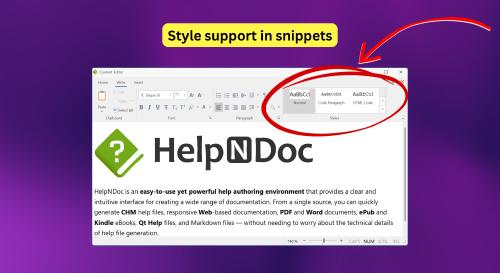
We are pleased to announce the release of HelpNDoc 10.6, the latest update to our help authoring tool. This version expands the capabilities of the AI Assistant, improves conditional content workflows, adds practical enhancements to the topic editor, introduces new code generation templates for developers, and significantly speeds up Markdown documentation generation.
HelpNDoc 10.6 also includes multiple internal optimizations and fixes designed to improve reliability, reduce memory usage, and make everyday documentation authoring smoother. As always, HelpNDoc is free for personal use and evaluation, so you can download the latest version and try these improvements today.
🤖 Smarter AI Tools to Manage Projects Faster
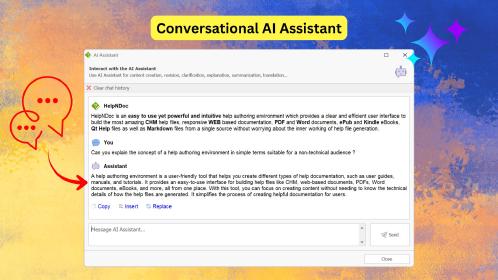
HelpNDoc 10.6 gives the built-in AI Assistant new tools to help organize, inspect, and update documentation projects more efficiently.
![New AI Assistant Tools to Manage Projects [ai-tools] [featured]](/news-and-articles/2026-05-26-expanded-ai-tools-nested-conditional-content-faster-markdown-generation-and-more-in-helpndoc-10.6/images/new-ai-assistant-tools-to-manage-projects.jpg)
The AI Assistant continues to become more useful for project-level documentation work. In this release, it gains access to additional tools that allow it to manage more aspects of a HelpNDoc project directly based on user instructions.
The AI Assistant can now help reorganize topic and keyword trees by moving existing branches to new positions in the hierarchy. This feature is useful for restructuring large projects, moving a group of related topics under a new section, or reorganizing keywords to better align with the documentation’s terminology.
HelpNDoc 10.6 also adds AI tools for managing project statuses and build tags. The assistant can list, create, and update statuses, assign statuses to topics, manage custom tags, and handle associations between topics and tags. These capabilities make it easier to maintain structured workflows, especially in projects where topics need to be reviewed, filtered, or prepared for different outputs.
The AI Assistant can also retrieve or update topic properties such as icon, visibility, description, Help ID, Help Context number, aliases, page break settings, headers, and footers. It can also return the list of topics currently selected in the table of contents, which is particularly useful for batch operations on a current multi-selection.
Together, these additions make the AI Assistant better suited to practical project maintenance tasks, not just content generation.
🔀 More Powerful Conditional Content Workflows
Conditional content is now more flexible, with support for nested conditions and faster access to condition editing directly from the topic editor.
![Support for nested conditional statements [nested-statements]](/news-and-articles/2026-05-26-expanded-ai-tools-nested-conditional-content-faster-markdown-generation-and-more-in-helpndoc-10.6/images/support-for-nested-conditional-statements.jpg)
HelpNDoc 10.6 improves the way conditional content can be authored and maintained. Conditions can now be nested inside other conditions, making it possible to create more advanced publishing logic directly in the topic editor.
For example, an IF condition can now contain another IF condition, or be combined with deeper conditional structures when the documentation needs to adapt to multiple products, audiences, editions, or output targets. For projects that rely heavily on conditional content, this provides more control over how content is included or excluded during generation.
⚠️ Because this change affects how consecutive conditions are interpreted, existing projects should be reviewed carefully. In particular, an IF condition placed after another IF condition is no longer automatically treated as an ELSE IF. The built-in project analyzer can help locate conditional content project-wide, making it easier to review existing conditions and confirm that they still behave as expected.
Editing existing conditional items is also simpler in this release. Conditional items inserted in the topic editor can now be modified by double-clicking them, which opens the condition editor directly. This makes it faster to adjust a condition without recreating the item.
HelpNDoc 10.6 also improves the reliability and performance of conditional content rendering in the topic editor. Conditional items now use less memory and benefit from optimized rendering, which is helpful when working with complex topics or projects containing many conditional blocks.
📝 Topic Editor Improvements for Faster, Cleaner Authoring
The topic editor has gained several practical improvements for working with tables, images, library items, and pasted content.
![Convert text to table [text-to-table]](/news-and-articles/2026-05-26-expanded-ai-tools-nested-conditional-content-faster-markdown-generation-and-more-in-helpndoc-10.6/images/convert-text-to-table.jpg)
HelpNDoc 10.6 adds a new way to convert selected text into a table. When text is selected in the topic editor, it can now be converted into a table with automatic detection of rows, columns, and separators. The separator can also be selected manually, using paragraphs, tabs, commas, or any other character.
This feature is useful when working with structured text copied from external sources, such as spreadsheets, logs, lists, or delimited data. Instead of manually creating a table and filling each cell, the selected text can be converted into a structured table more quickly.
Image handling in the topic editor has also been improved. When using Paste Special, PNG and SVG images are now preserved in their native formats instead of being converted to raw bitmap images. This preserves important format-specific features, such as PNG transparency and SVG vector data, resulting in cleaner pasted images and better long-term quality.
Copying images from the topic editor to the clipboard has been improved as well. Compatible third-party applications can now receive PNG images with their transparency and other PNG-specific features preserved, while SVG images can retain their vector data when pasted into applications that support it.
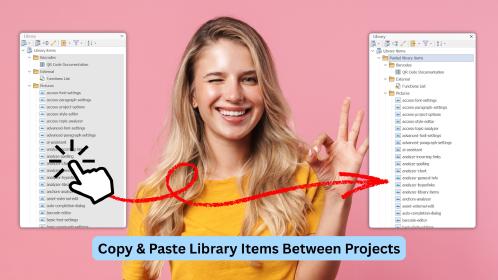
Library item workflows have also been refined. When a library item is selected and copied from the topic editor, it is now copied as a reusable library item and can be pasted directly into the library of another HelpNDoc project. This helps preserve important underlying data, such as image editor source information, equation data, color settings, and default picture properties, when reusing content across projects.
💻 New Code Generation Options for TypeScript, Java, and Kotlin
HelpNDoc can now generate strongly typed TypeScript, Java, and Kotlin code from topic Help IDs and Help Context numbers.
![Programmer producing TypeScript, Java and Kotlin code [programmer]](/news-and-articles/2026-05-26-expanded-ai-tools-nested-conditional-content-faster-markdown-generation-and-more-in-helpndoc-10.6/images/programmer-producing-typescript-java-kotlin-code.jpg)
HelpNDoc’s code generation templates can now produce additional strongly typed code formats for development teams. HelpNDoc 10.6 adds new code templates for TypeScript, Java, and Kotlin in addition to the previously supported languages.
These templates export topic identifiers such as Help IDs and Help Context numbers in ready-to-use code formats. Depending on the target language, the available formats include constants, enums, maps, object constants, and interfaces.
This is particularly useful when documentation needs to be connected to a software application. Developers can use the generated identifiers to reliably link application screens, dialogs, commands, and error messages to the correct help topics, while technical writers continue to manage those identifiers from the HelpNDoc project.
By generating these code units directly from the documentation project, teams can reduce manual synchronization work and avoid mismatches between the application code and the help system.
⚡ Much Faster and More Reliable Markdown Generation
Markdown documentation generation has been optimized for speed and now handles project-wide counters more consistently.
![Improved markdown generation [markdown]](/news-and-articles/2026-05-26-expanded-ai-tools-nested-conditional-content-faster-markdown-generation-and-more-in-helpndoc-10.6/images/improved-markdown-generation.jpg)
HelpNDoc 10.6 includes a significant performance improvement for Markdown documentation generation. Large projects can now generate Markdown output more than five times faster than before, with the most noticeable gains occurring on larger documentation sets.
This optimization helps teams that use Markdown as part of a modern documentation workflow, static site pipeline, source control process, or AI-friendly content export. Faster generation reduces waiting time and makes frequent rebuilding of documentation easier during editing and review.
This release also fixes an issue affecting counters in Markdown output. Counters used for numbered items such as figures, tables, or other project-wide elements now continue incrementing correctly across the whole project, instead of resetting for each topic.
These improvements make Markdown generation faster and more consistent, especially for projects that rely on structured numbering.
🛠️ Additional Fixes, Performance Improvements, and Reliability Enhancements
HelpNDoc 10.6 also includes several under-the-hood improvements focused on speed, stability, memory usage, and safer content generation.
![Speed improvements and bug fixes [bug-fixes]](/news-and-articles/2026-05-26-expanded-ai-tools-nested-conditional-content-faster-markdown-generation-and-more-in-helpndoc-10.6/images/speed-improvements-and-bug-fixes.jpg)
This release improves internal project file handling and memory management, especially when working with multiple projects in the same session or migrating older projects to the latest format. Library item caching has also been optimized to reduce memory usage and speed up processing when items are updated or removed.
HelpNDoc’s script engine has been enhanced to improve stability, performance, and security across documentation templates and user automation. Several generation and migration issues have also been corrected, including cases where custom equations were replaced by defaults after upgrading older projects, and where discarded conditional content at the beginning of a line could affect the exported layout.
This release also includes many additional quality-of-life improvements and smaller fixes that contribute to a smoother, more reliable authoring experience. As always, the detailed release notes below list all the changes included in this version.
🚀 Download HelpNDoc 10.6 and Try the Latest Improvements
HelpNDoc 10.6 is available for free for personal use and evaluation, and can be downloaded today.
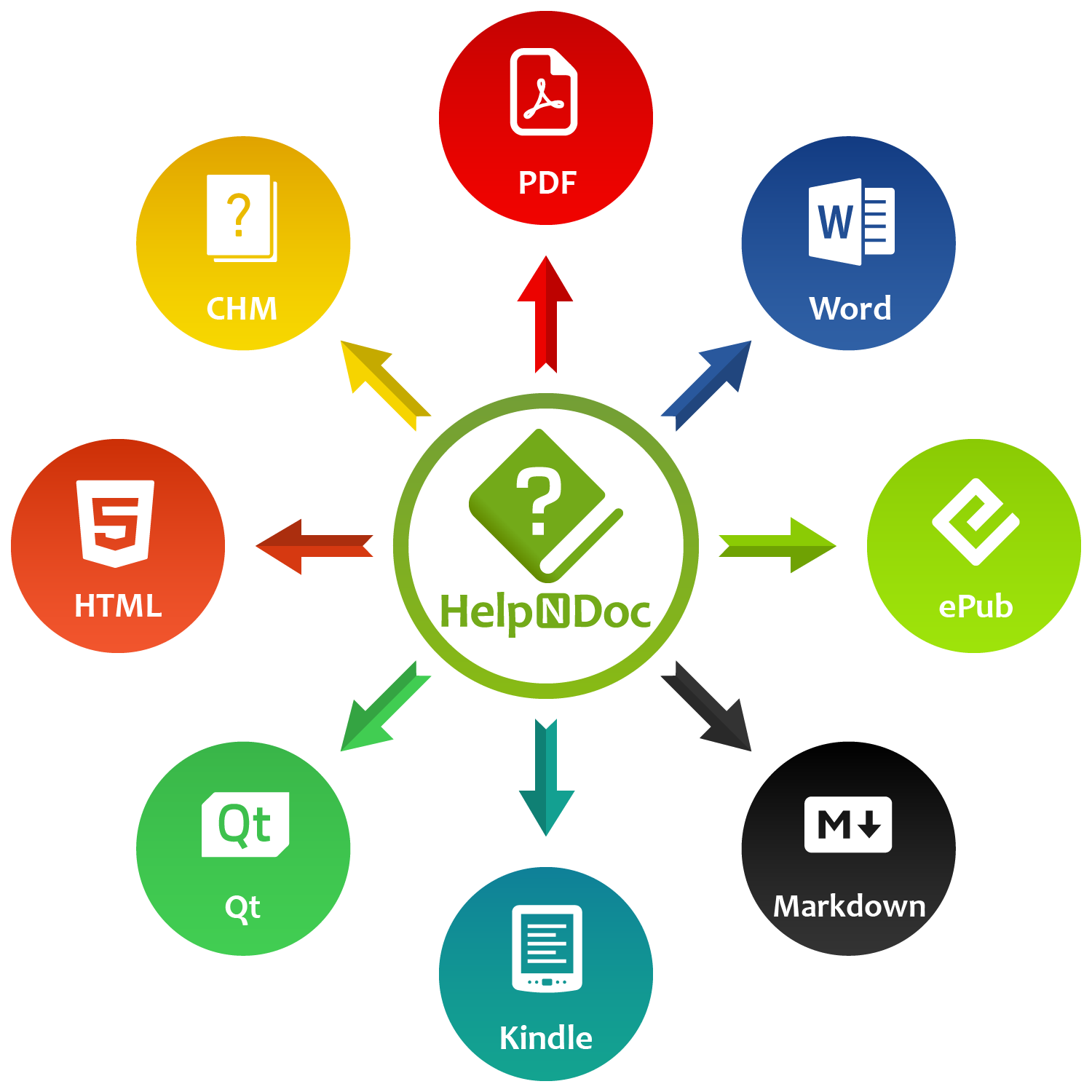
HelpNDoc 10.6 focuses on practical improvements for everyday documentation work: more capable AI project tools, more flexible conditional content, better topic editor workflows, new code generation options for developers, faster Markdown output, and a series of reliability and performance enhancements.
👉 Download HelpNDoc 10.6 to try the latest version and explore these improvements in your own projects.
Want to create great documentation?
HelpNDoc is free, fully functional, and easy to use.
Produce your first multi-format documentation in the next minute or so.
Change log
Version 10.6.0.365 – Release date: May 26, 2026
- New AI tools for reorganizing topic and keyword trees, listing selected topics, managing topic statuses and build tags, and getting/updating topic properties (icons, aliases, help IDs) plus headers and footers
- Added support for converting text to tables with customizable delimiters
- Conditional content generation now allows conditions to be nested within other conditions, enabling nested conditional statements within parent statements
- Library items copied from topic editor content can now be pasted directly into the library of another HelpNDoc project
- Added the ability to modify existing conditional items by double-clicking them in the topic editor
- Added support for generating strongly typed TypeScript code for topic Help IDs and Help context numbers using Const Object, Enum, Map, and Object Constants templates
- Added Java templates for exporting topic Help IDs and Help context numbers as strongly typed code, including Constant, Enum, Map, Object Constant, and Interface formats
- Added Kotlin code generation templates (Constant, Enum, Map, and Object Constant) for exporting topic Help IDs and Help context numbers as strongly typed Kotlin code
- "Paste Special" now preserves PNG and SVG formats instead of converting them to bitmap images, retaining features such as transparency and vector graphics
- Markdown documentation generation has been significantly optimized, delivering over 5x faster generation speeds for large projects
- Fixed a Markdown documentation generation issue causing counters to reset per topic instead of incrementing project-wide
- Fixed an issue where upgrading older projects could cause custom equations and settings to be replaced with default equations
- Fixed an issue where lines beginning with discarded conditional content could be incorrectly exported onto the previous line
- Greatly improved how PNG and SVG images are copied from the topic editor to the clipboard, allowing compatible software to retain format specific features such as transparency and vector graphics
- Reworked internal connection handling for project files to improve speed and memory efficiency, especially when working with multiple projects in a single session
- Resolved an issue where memory was not properly released after project file migrations, decreasing long-term memory consumption
- Enhanced the underlying script engine to improve stability, performance, and security
- Improved the caching logic for library items to speed up processing and lower memory usage, especially when items are updated or removed
- Improved reliability and performance of conditional content rendering in the topic editor