We are pleased to announce the release of HelpNDoc 10.8, a major update that opens new possibilities for AI-assisted documentation workflows. This version introduces a built-in Model Context Protocol (MCP) server, enabling compatible external AI clients to inspect and manage the project currently open in HelpNDoc.
HelpNDoc 10.8 also significantly expands the tools available to its built-in AI Assistant. Topics, keywords, tags, statuses, library items, project properties, and parts of the HelpNDoc user interface can now be inspected and managed through a consistent set of purpose-built tools. These capabilities are shared with the MCP server, giving technical writers the choice of working with HelpNDoc’s integrated AI Assistant or a compatible external AI client.
Beyond AI integration, this release adds the ability to export individual topics directly to HTML and PDF, improves scripting support for Markdown content and picture attributes, produces cleaner generated documentation, and includes important updates to project storage, application stability, high-DPI support, accessibility, compatibility, licensing, and API documentation.
As always, HelpNDoc is free for personal use and evaluation, so you can download HelpNDoc 10.8 today and explore all the improvements firsthand.
🤖 Built-in MCP Server: Connect HelpNDoc to External AI Clients
HelpNDoc 10.8 includes a built-in MCP server that enables compatible external AI clients to inspect and manage the currently open HelpNDoc project.
![Built-in MCP server [mcp-server] [featured]](/news-and-articles/2026-08-20-built-in-mcp-server-expanded-ai-tools-and-individual-topic-export-in-helpndoc-10.8/images/built-in-mcp-server.jpg)
Artificial intelligence is becoming an increasingly useful part of technical writing, content maintenance, and documentation quality assurance. However, an AI client can only provide meaningful assistance when it has access to accurate project information and purpose-built operations.
HelpNDoc 10.8 addresses this with a built-in Model Context Protocol server. MCP is a standard that allows compatible AI clients to discover and use tools exposed by an application. In practical terms, it gives supported external AI tools a structured way to interact with the project currently open in HelpNDoc.
The MCP server can be started whenever you want to work with a compatible external AI client, then stopped just as easily when the task is complete.
Compatible clients such as Claude Code, OpenAI Codex, GitHub Copilot, and other MCP-compatible tools can connect to HelpNDoc and use the operations it provides. Depending on the requested task, an AI client can inspect project metadata, navigate the table of contents, read or replace topic content, maintain keywords and tags, manage library items, update statuses, reorganize project structures, and perform other supported content-management actions.
This enables practical workflows that go far beyond generating isolated paragraphs. For example, an external AI client could:
- Audit an existing project for quality and missing information. It could inspect the table of contents, topic content, statuses, keywords, build tags, and reusable assets to identify incomplete sections, inconsistent organization, missing cross-references, outdated metadata, or topics that may be excluded from the wrong builds. It could then summarize the findings and navigate HelpNDoc directly to the areas that need attention.
- Improve and reorganize an established documentation project. It could review selected topics, rewrite unclear passages, add missing explanations, standardize terminology, update reusable snippets or variables, and reorganize topics or keywords where the current structure is difficult to follow. The client could also apply the appropriate statuses and build tags so the improved content fits the project’s review and publishing workflow.
- Create a new documentation project from a software interface screenshot. Starting from screenshots of an application’s windows, dialogs, and controls, it could propose a table of contents, create the corresponding topics, and draft initial instructions based on the visible user interface. It could then place the topics in the correct hierarchy, add reusable pictures to the Library, and open each new topic in HelpNDoc for review and refinement.
- Go much further with the complete HelpNDoc toolset. These examples represent only a small selection of the available possibilities. Consult the HelpNDoc AI and MCP tools documentation to explore every available tool and learn how compatible AI clients can use them.
The result is a flexible bridge between HelpNDoc and the growing ecosystem of MCP-compatible AI clients. Technical writers can continue using their preferred authoring environment while bringing external AI tools into project inspection, content creation, maintenance, and review workflows.
🧰 Expanded AI Toolset: More Than a Writing Assistant
HelpNDoc’s AI integrations can now help manage an entire documentation project, not just generate or rewrite text.
![AI tools [ai-tools]](/news-and-articles/2026-08-20-built-in-mcp-server-expanded-ai-tools-and-individual-topic-export-in-helpndoc-10.8/images/ai-tools.jpg)
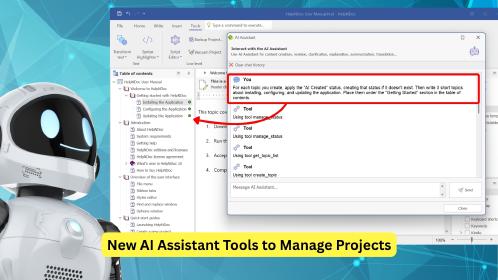
The built-in HelpNDoc AI Assistant and external clients connected through the MCP server now have access to the same powerful project tools. You can choose the AI experience you prefer while keeping HelpNDoc at the center of your authoring workflow.
An AI assistant can create and reorganize topics, improve existing content, update project information, maintain keywords and build tags, manage review statuses, and work with reusable Library items such as snippets, variables, pictures, equations, and Raw Code.
This makes ambitious requests possible. You could ask an assistant to review a project for missing or outdated information, improve a complete section while preserving its structure, prepare different editions using build tags, or create the foundations of a new manual from screenshots and product information.
The assistant can also bring the relevant topic, keyword, or Library item into view when it finishes, so you can immediately inspect and refine its work in HelpNDoc.
These are only a few examples. See the complete list of AI and MCP tools to discover all the operations available to the built-in AI Assistant and compatible external clients.
📤 Export Individual Topics to HTML and PDF
HelpNDoc 10.8 makes it easier to share exactly the content you need by adding HTML and PDF to the individual topic export options.
![Export topic to HTML or PDF [topic-export]](/news-and-articles/2026-08-20-built-in-mcp-server-expanded-ai-tools-and-individual-topic-export-in-helpndoc-10.8/images/export-topic-to-html-or-pdf.jpg)
HelpNDoc is designed to generate complete documentation projects in multiple formats from a single source. Sometimes, however, you only need to share one topic.
HelpNDoc already supported exporting individual topics to Microsoft Word and Markdown. Version 10.8 now adds HTML and PDF, giving you more flexibility when reviewing, distributing, or reusing selected content.
A teacher can export the lesson needed for today’s class as a PDF, ready to print, send to students, or upload to a learning platform. A technical writer can share a single topic with an engineer, translator, legal reviewer, product manager, or customer without generating and distributing the entire manual.
HTML is ideal when the topic needs to be opened in a browser, added to an internal portal, or shared as lightweight web content. PDF is a better fit when layout consistency, offline reading, or printing matters.
With these new export options, HelpNDoc 10.8 makes focused reviews, selective sharing, and one-off content distribution much quicker and more convenient.
🧩 Improved Scripting and Cleaner Output
HelpNDoc 10.8 improves scripting workflows and fixes several issues affecting generated documentation.
![Improved scripting and cleaner output [improved-scripting]](/news-and-articles/2026-08-20-built-in-mcp-server-expanded-ai-tools-and-individual-topic-export-in-helpndoc-10.8/images/improved-scripting.jpg)
The scripting API now offers better support for inserting Markdown content into topics and snippets. Scripts can also manage picture CSS classes and HTML IDs, giving developers more control over automated content and generated output.
Several scripting operations are now more reliable, including InsertContentFromHTMLFile, which correctly reports whether the insertion succeeded, and topic moves using htamAddChildFirst, which now place topics in the expected location.
Generated documentation is cleaner too. Unused keywords are no longer included in CHM and HTML indexes, and tab-indented Raw Code content no longer introduces unwanted entities in Markdown output.
Together, these improvements make automation more predictable and generated documentation easier to maintain.
🛠️ Reliability, Compatibility, and Usability Improvements
HelpNDoc 10.8 also delivers a broad set of improvements for a smoother, safer, and more reliable authoring experience.
![Bug fixes [bug-fixes]](/news-and-articles/2026-08-20-built-in-mcp-server-expanded-ai-tools-and-individual-topic-export-in-helpndoc-10.8/images/bug-fixes.jpg)
The updated user interface improves stability, rendering, accessibility, high-DPI support, compatibility, and security. Resizing windows is also easier on displays using scaling above 100 percent.
Project storage is now faster and more resilient, with stronger protection against corruption and automatic recovery from certain index problems. Open and Save dialogs are more stable as well.
Developers and template authors will find clearer and more complete scripting API documentation, with improved organization and more reliable links between related types.
License information and verification messages have also been refined, including more accurate command-line details for both current and legacy license keys.
As always, the full list of changes is available in the detailed release notes below.
🚀 Download HelpNDoc 10.8 Today
HelpNDoc 10.8 is available for free for personal use and evaluation. Download it now and discover its new AI-assisted documentation capabilities.
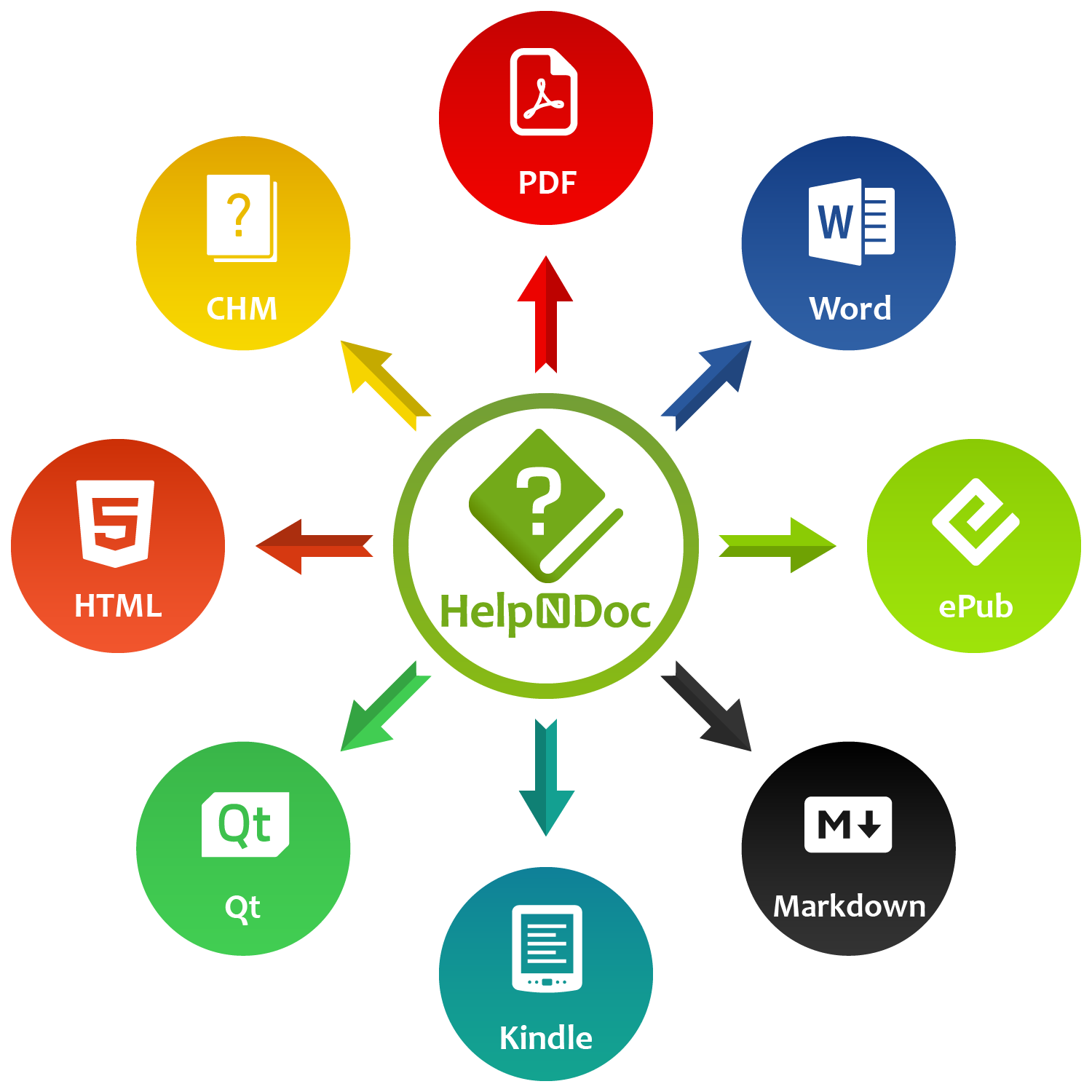
Whether you are connecting an external AI client through the new MCP server, managing project content with the expanded AI toolset, sharing a single topic as HTML or PDF, automating work through the improved scripting API, or simply benefiting from a more reliable authoring environment, HelpNDoc 10.8 delivers powerful new capabilities for technical writers and documentation teams.
👉 Download HelpNDoc 10.8 today and explore a more connected, flexible, and productive way to create and maintain documentation.
Want to create great documentation?
HelpNDoc is free, fully functional, and easy to use.
Produce your first multi-format documentation in the next minute or so.
Change log
Version 10.8.0.452 – Release date: Aug 20, 2026
- Added a built-in MCP server, enabling compatible AI clients to securely access HelpNDoc project information and perform supported content-management tasks
- Updated the HelpNDoc AI toolset with complete topic, keyword, tag, status, library, and UI management capabilities, including safer operations, unified APIs, and new delete and content-management actions
- Added the ability to export individual topics as HTML or PDF, complementing the existing Word and Markdown export options
- Added script support for Markdown content insertion and picture class/ID management, and fixed InsertContentFromHTMLFile to return its success status
- Fixed an issue where moving the first topic could fail when using the htamAddChildFirst option in the UI or API
- Fixed the CHM and HTML generators so they no longer export keywords that are not associated with any topics
- Fixed unwanted entities appearing in tab-indented raw code library items when generating Markdown documentation
- Updated the overall user interface to improve application stability, rendering, high-DPI support, accessibility, compatibility, and security, including a larger form resize area on monitors using display scaling above 100%
- Improved API documentation with additional global types, clearer organization and sorting, enhanced styling, and more reliable cross-links between related types
- Improved project storage reliability and performance, with stronger protection against corrupted files and automatic recovery of certain index issues
- Improved Open/Save dialog stability by fixing an access violation that could occur when changing the selected file or folder
- Improved command-line license information to correctly display validity details for both current and legacy license keys
- Improved license verification messages to provide clearer, more accurate guidance when checking or refreshing a license