Your documentation already contains something incredibly valuable: the knowledge your users need to succeed. Every carefully written explanation, troubleshooting tip, and step-by-step guide can also help an AI assistant answer your users’ questions. Imagine giving your readers another way to explore your documentation by chatting with an AI assistant and asking questions such as “How do I get started?” or “Which settings should I use?”
Markdown works particularly well as an interchange format for AI tools because it preserves useful structure, such as headings and lists, without unnecessary visual styling. And with HelpNDoc, producing AI-friendly Markdown fits directly into your existing publishing workflow. You can generate it from the same project you already use for help files, websites, manuals, and eBooks. There is no Markdown syntax to learn and no separate version of your documentation to write.
📝 Markdown: A Simple Format That Opens New Possibilities
Markdown is a plain text format that uses simple markers to identify elements such as headings, lists, and links.
![AI-Friendly Markdown Format [markdown-format] [Featured]](/news-and-articles/2026-09-11-turn-your-documentation-into-an-ai-knowledge-source-with-helpndoc/images/ai-friendly-markdown-format.jpg)
Markdown keeps your documentation’s content and structure, including text, headings, links, tables, and numbered steps, without the fonts, colors, and page layouts of a finished publication. This makes it particularly useful for AI tools, which can more reliably process your explanations and instructions in a straightforward text format. The structure remains useful, too: headings identify sections, while lists and numbered steps keep related information together.
For technical writers, this creates an important opportunity: the documentation you already write for your readers can also provide the knowledge an AI assistant uses to answer their questions. And you should be able to take advantage of that without becoming a Markdown expert. With HelpNDoc, you can.
✍️ Keep Writing the Way You Already Do
You do not need to become a Markdown author to publish Markdown.
All you have to do is keep creating great documentation in HelpNDoc: organize your topics, write in the visual editor, add images, and refine your explanations. When you are ready, HelpNDoc turns that content into Markdown for you. Your existing project provides everything you need, and the same familiar authoring environment handles both your everyday writing and your Markdown publishing.
The best part? Every improvement you make can benefit both your readers and your AI tools. Clarify an explanation or add a troubleshooting tip once, then regenerate your user manual and Markdown output to include the update in both. Each improvement is reflected wherever you publish that documentation.
⚙️ How to Generate Markdown in Just a Few Clicks
Turning your existing documentation into Markdown takes just a few clicks, with options to customize the output whenever you need them.
![Quick and Easy Markdown Generation [quick-generation]](/news-and-articles/2026-09-11-turn-your-documentation-into-an-ai-knowledge-source-with-helpndoc/images/quick-and-easy-markdown-generation.jpg)
With your HelpNDoc project open, follow these three steps:
- Open the Home ribbon tab.
- Click the lower half of Generate Help.
- Select Markdown Documentation.
That’s it! HelpNDoc generates your Markdown files using the project’s current settings. This quick generation workflow makes it easy to try the format with content you have already written.
When you want to customize the output, click the upper half of Generate Help to open the Generate Documentation window. Select your Markdown build, or add a Markdown output, then choose where to save the files and which template to use. Your output settings remain saved in the project, ready for the next time you generate Markdown alongside your other publications.
You can also fine-tune the result through the Markdown template settings. Choose compact output, adjust line wrapping, or select a heading style, all directly in HelpNDoc.
For AI workflows, one template deserves a closer look: Single page Markdown, which brings your documentation together in one convenient file.
📄 One File, a Whole New Way to Explore Your Documentation
A single Markdown file can put your documentation’s knowledge within reach of an AI assistant and give your readers a new way to find answers.
![AI-Friendly Markdown Generation [markdown-generation]](/news-and-articles/2026-09-11-turn-your-documentation-into-an-ai-knowledge-source-with-helpndoc/images/ai-friendly-markdown-generation.jpg)
HelpNDoc’s Single page Markdown template gathers your documentation into one file, making it convenient to share with a compatible AI assistant or knowledge service. Designed with AI-friendly documentation reuse in mind, it handles the assembly for you, bringing your topics together into a comprehensive package without any manual work.
For additional context, enable Export additional project and topics info in the single-page template settings. HelpNDoc can include details such as the author, version, language, and topic identifiers, giving AI tools more information about the documentation they are using.
With your exported file connected to a compatible AI service, people can explore your documentation through conversation:
- A customer could ask for help completing a setup procedure.
- A new employee could ask questions about your onboarding guide.
- A support colleague could describe a problem and ask for relevant troubleshooting steps.
To get started, choose an AI service that lets you upload Markdown documents as reference material, then add the file generated by HelpNDoc. The assistant can use that content to answer questions about the subject covered by your documentation, drawing on the explanations and instructions you have already written. Keeping that knowledge current follows the same simple process: update your documentation in HelpNDoc, generate a new Markdown file, and replace the previous version in your AI service.
And that flexibility extends well beyond Markdown. The same source content can also become polished websites, printable manuals, help files, and eBooks, giving every audience a convenient way to access your knowledge.
🌐 The Same Knowledge, Ready for Every Audience
From an AI conversation to a printed manual, HelpNDoc lets you share the same knowledge in the format that works best for each reader.
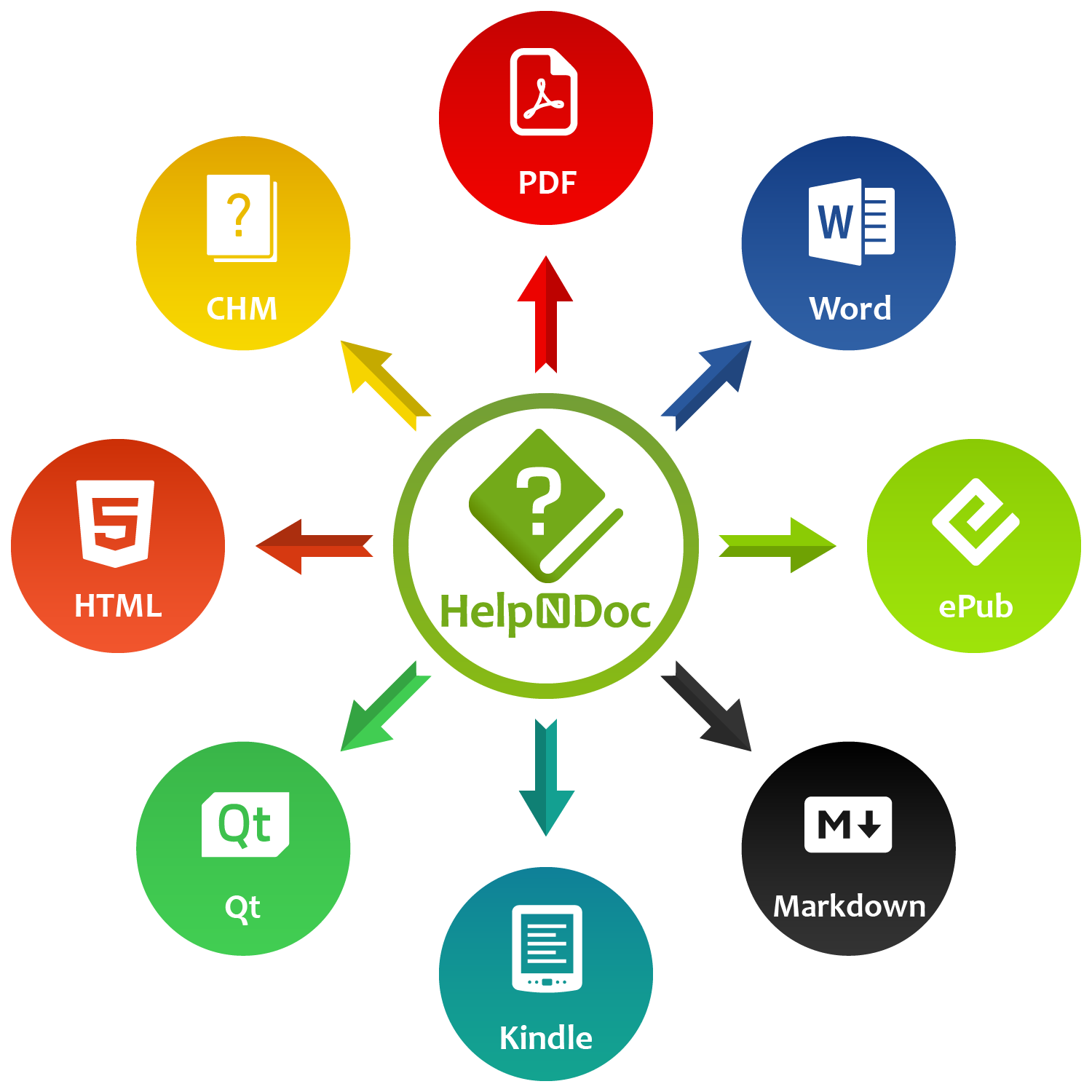
You can do a lot with the documentation you already have. Publish a responsive help website, create a polished manual, offer an eBook, or supply knowledge to an AI assistant: HelpNDoc can generate all of these outputs from one project, without requiring you to rewrite your content for each format. Here’s how each option can serve your audience:
| Output format | Who it can help |
|---|---|
| Raw Markdown | Teams providing documentation to compatible AI assistants and other content tools |
| Responsive HTML websites | Users browsing online help on desktops, tablets, and phones |
| CHM help files | Users accessing help alongside Windows applications |
| Word documents | Colleagues who need an editable document for review or further work |
| PDF documents | Readers who want a polished manual to download, share, or print |
| ePub and Kindle eBooks | Readers who prefer an eBook experience on compatible devices |
| Qt Help files | Users accessing application help through the cross-platform Qt Help framework |
All of these publishing options benefit from every improvement you make. Update a procedure once, then let HelpNDoc regenerate all the outputs you need. Your website, printable manual, and Markdown knowledge file can all include the latest instructions, making it easy to keep your publications consistent as your documentation grows.
The flexibility goes beyond choosing a format. HelpNDoc’s conditional generation lets you tailor the content itself, creating different versions for customers, administrators, and support teams from the same project.
🎯 Unlimited Variations, Without Duplicating Your Project
One documentation project can become an entire collection of tailored publications, each with the content its audience needs.
![Conditional Content Generation [conditional-generation]](/news-and-articles/2026-09-11-turn-your-documentation-into-an-ai-knowledge-source-with-helpndoc/images/conditional-content-generation.jpg)
Imagine offering customers a straightforward guide to everyday tasks, giving administrators detailed configuration instructions, and equipping your support team with additional troubleshooting information. With HelpNDoc, you can create all of these variations while maintaining the shared content in one place.
HelpNDoc’s conditional generation system lets you choose which topics and sections appear in each output. You can create an unlimited number of builds, each representing a version you want to publish, including multiple variations of the same format. Set up your content rules once, and HelpNDoc automatically includes the appropriate material whenever you generate those builds.
Conditional generation is also useful for AI workflows. The same project could supply a customer-focused Markdown file for a public-facing assistant and a more detailed version for an internal support assistant. Alongside those files, you could generate HTML and PDF manuals tailored to different product editions. Each output gets the relevant information, and every shared explanation remains easy to update.
Together, these capabilities give your existing documentation room to grow: more formats, more audiences, and more ways to put your knowledge to work, all from the project you already maintain.
🤖 Give Your Documentation a New Role
Your next AI knowledge source could already be taking shape in the documentation you write every day.
The content that guides readers through your manuals and websites can also help an AI assistant answer their questions, giving people another convenient way to find and use the knowledge you provide.
You have already done the most valuable part: creating the knowledge. HelpNDoc makes it easy to share that work as raw Markdown, alongside polished publications and tailored variations for your different audiences. Keep writing in the familiar visual editor, and let HelpNDoc handle the conversion.
Ready to explore what your documentation could do next? Download HelpNDoc for free for personal use and evaluation, open your project, and generate your first Markdown output. In just a few clicks, you can prepare your documentation for use with a compatible AI assistant.
Want to create great documentation?
HelpNDoc is free, fully functional, and easy to use.
Produce your first multi-format documentation in the next minute or so.