Your documentation already contains something incredibly valuable: the knowledge your users need to succeed. Every carefully written explanation, troubleshooting tip, and step-by-step guide can also help an AI assistant answer your users' questions. Imagine giving your readers another way to explore your documentation by chatting with an AI assistant and asking questions such as "How do I get started?" or "Which settings should I use?" Markdown works particularly well as an interchange format for AI tools because it preserves useful structure, such as headings and lists, without unnecessary visual styling. And with HelpNDoc, producing AI-friendly Markdown fits directly into your existing publishing workflow. You can generate it from the same project you already use for help files, websites, manuals, and eBooks. There is no Markdown syntax to learn and no separate version of your documentation to write.
Read More →
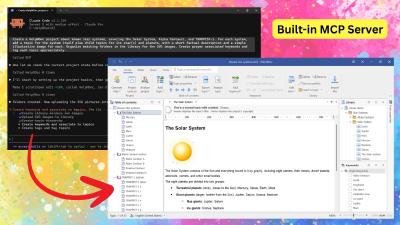
HelpNDoc 10.8 introduces a built-in MCP server that connects compatible external AI clients to the currently open project, along with a greatly expanded AI toolset for managing topics, keywords, tags, statuses, library items, project properties, and the HelpNDoc user interface. This release also adds individual topic export to HTML and PDF, expands scripting support for Markdown content and picture attributes, improves generated documentation, and delivers important reliability, compatibility, storage, licensing, and user-interface updates.
Read More →
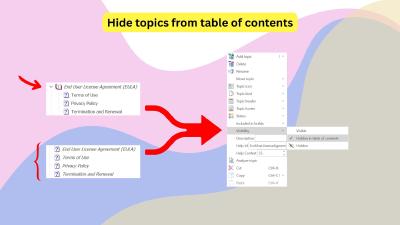
Not every page in an HTML-based documentation website belongs in its main navigation. Privacy policies, terms of service, legal notices, accessibility statements, and other supporting pages must remain published and accessible without cluttering the table of contents. Discover two simple ways to create these standalone pages in HelpNDoc while keeping your documentation clean, professional, and easy to maintain.
Read More →
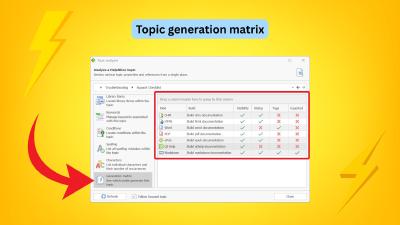
HelpNDoc 10.7 introduces a powerful new Generation Matrix in the Topic Analyzer, helping technical writers understand exactly why each topic is or is not exported for every build in a project. This release also evolves the former HTML Code library item into a more flexible Raw Code item with format-specific output for HTML, Markdown, and other formats, adds support for external snippet files loaded during generation, and delivers important improvements to the image editor, topic editor, equation editor, conditional content generation, and overall reliability.
Read More →
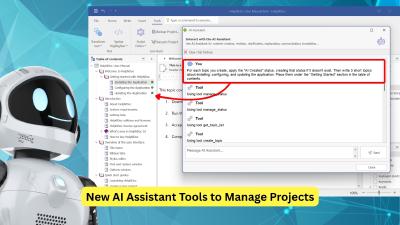
HelpNDoc 10.6 introduces new AI assistant tools to help manage documentation projects, as well as nested conditional content for more advanced publishing scenarios. It also offers practical improvements to the topic editor, new TypeScript, Java, and Kotlin code generation templates, and significantly faster Markdown generation. Additionally, HelpNDoc 10.6 provides a variety of performance, stability, and reliability improvements.
Read More →
Whether you are writing a user manual, a training guide, a course workbook, a nonfiction book, or internal company documentation, the format you choose has a direct impact on how people read and use your content. Two of the most popular formats, PDF and ePub, often appear to serve the same purpose: they both let you package and distribute written material. In practice, they offer very different reading experiences. So which one should you choose? The answer depends on your audience, your content, and how your readers expect to use it. And with HelpNDoc, you may not need to choose at all.
Read More →
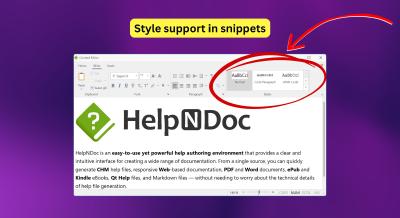
We are excited to introduce HelpNDoc 10.5, a release focused on consistency, migration, and everyday productivity improvements. This update improves the integration of reusable content within your projects, simplifies the transition from legacy tools such as Adobe RoboHelp, and provides a variety of fixes and refinements to streamline your documentation workflow. Highlights include styled snippets for consistent content reuse, a new RoboHelp project importer, improved HTML search accuracy, and multiple workflow and stability enhancements.
Read More →
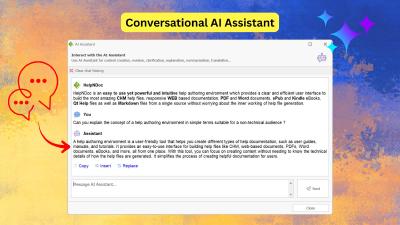
HelpNDoc's AI Assistant brings the power of artificial intelligence directly into your documentation workflow. From drafting content to managing your project structure, discover how this intelligent assistant transforms the way technical writers create, refine, and organize documentation.
Read More →
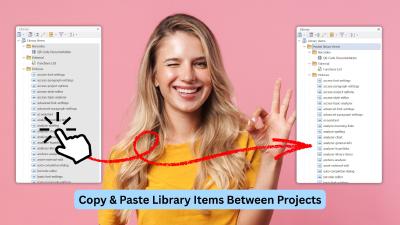
We're thrilled to announce the release of HelpNDoc 10.4! This productivity-focused update introduces long-awaited workflow enhancements, significant improvements to the built-in HTML search engine, and a variety of refinements across the application. From the new ability to copy and paste library items across projects, to faster and more consistent end-user search results, improved documentation output, and numerous UI and editor fixes, this version delivers meaningful gains for technical writers working on projects of all sizes.
Read More →
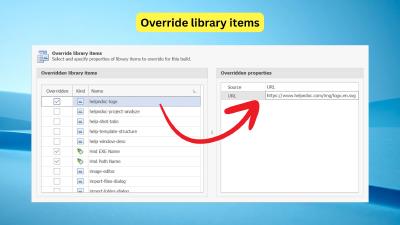
Library Item Overrides let you create multiple variations of your documentation from a single HelpNDoc project. Instead of duplicating topics or maintaining separate versions, you simply override the library items that need to change (such as images, snippets, variables, or documents) for each build. HelpNDoc automatically swaps those elements during generation, making it easy to deliver tailored, audience-specific outputs while keeping your content centralized and easy to maintain.
Read More →