Follow the guides to learn how to use HelpNDoc and be more efficient when creating help and documentation projects.
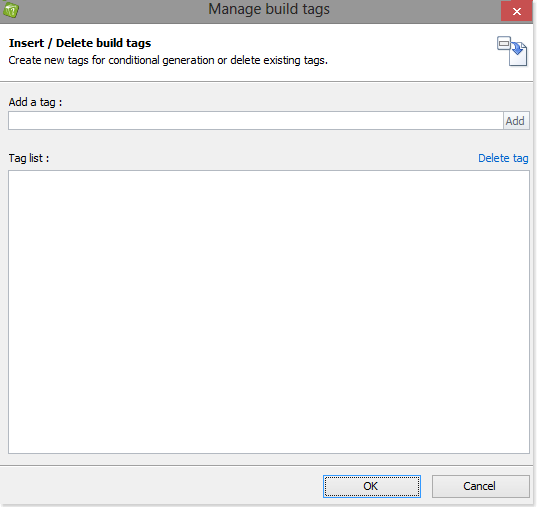
How to manage build tags ›
By default, all content in all topics is included when the documentation is published. HelpNDoc makes it easy to generate conditional content, giving you complete control over what is included in each of your outputs.
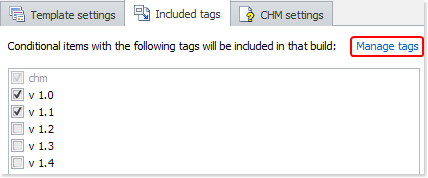
How to maintain tags associated with output builds ›
It is possible to create an unlimited number of build outputs in HelpNDoc and for each of those, it is possible to indicate which conditional tags needs to be included. Content and topics tagged with included tags will be generated for that build while content tagged with others tags will be excluded.
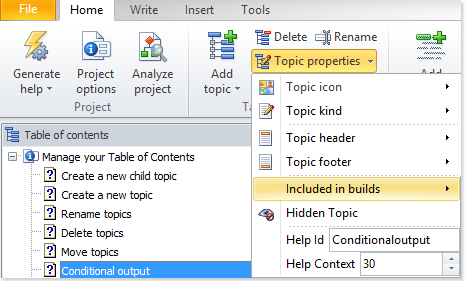
How to setup conditional topic generation ›
By default, all topics are included in all builds when documentation is generated. HelpNDoc makes it easy to include specific topics only in selected builds by tagging them.
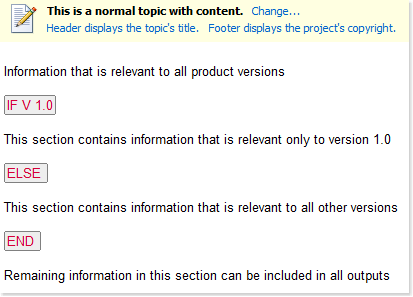
How to setup conditional content generation ›
By default, the content of each topic is included in all builds when the documentation is generated. HelpNDoc gives you the option of defining rules to include selected sections of topics in specific outputs.