Follow the guides to learn how to use HelpNDoc and be more efficient when creating help and documentation projects.
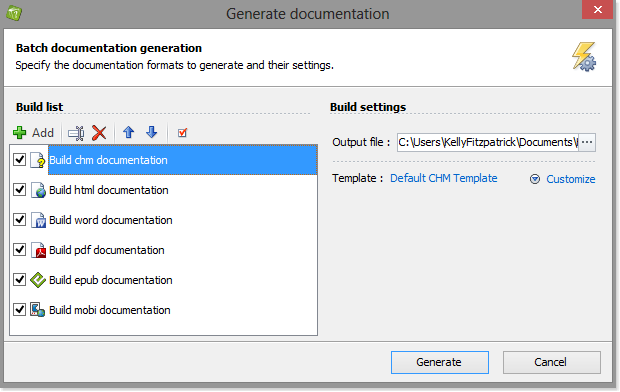
How to publish your documentation ›
HelpNDoc affords you tremendous flexibility to support dynamic requirements when you publish your documentation. After you’ve completed your documentation, you can publish it in a variety of formats using a range of options.
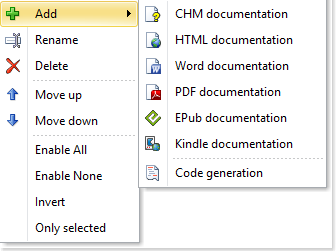
How to create a new documentation output to be published ›
Your HelpNDoc documentation can be published in multiple formats. It can also be published multiple times with different content and settings in each of those formats. Let’s see how easily this can be done.
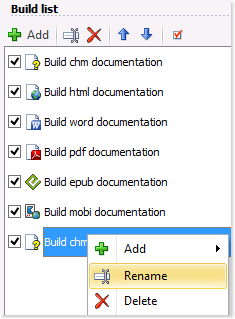
How to rename a publishing output in HelpNDoc ›
You can define the outputs that are generated when you publish your documentation. After you’ve created a publishing output, it is displayed in your build list. When you publish your documentation, it is displayed with its assigned name. To support your specific requirements, you may update this name for any output at any time.
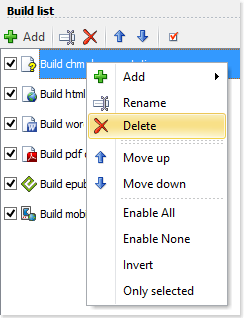
How to delete a build in HelpNDoc ›
You can define the builds that are generated when you publish your documentation. These builds are displayed in your build list and can be enabled or disabled at will. When a build becomes obsolete, it is possible to remove it from your build list.
How to reorder your publishing outputs in HelpNDoc ›
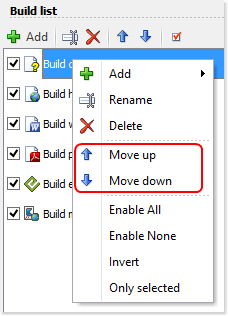
You can define the order of your outputs in your build list. This order determines the order in which your documentation is generated. This order can also dictate which settings are applied when you publish documentation using ‘Quick generate.’
How to enable your publishing outputs in HelpNDoc ›
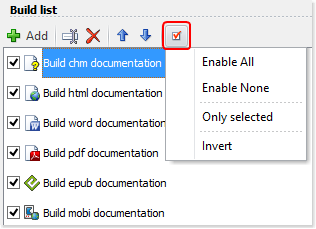
HelpNDoc gives you the flexibility and control to determine which of your builds are published when you generate documentation. When you enable a build, it is generated when you use your build list. You also have the option to temporarily disable a build to prevent it from being generated. This flexibility permits you to maintain builds in your build list without requiring you to publish them each time you generate documentation.
How to define build settings in HelpNDoc ›
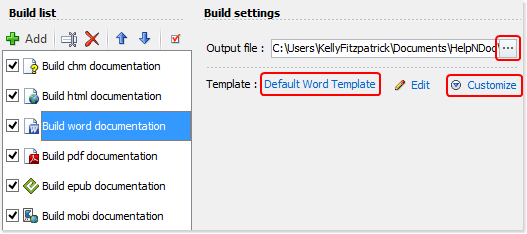
When you’re ready to generate documentation, HelpNDoc allows you to define the location of your output files and select the templates that are used to generate your documentation. In addition, you can further customize settings such as color, font size, numbering style, and create conditional tags to tailor your documentation to support specific requirements.
How to localize your documentation output ›
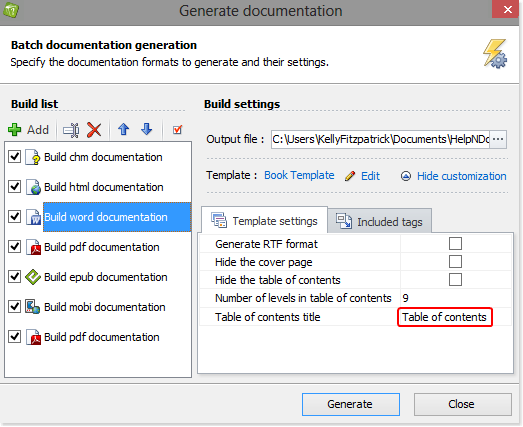
Some templates include hard-coded English terms (such as “Table of contents”, “Index”, “Search”) which needs to be translated when you generate your documentation in another language. This can easily be done on a build by build basis in HelpNDoc’s generate documentation window.
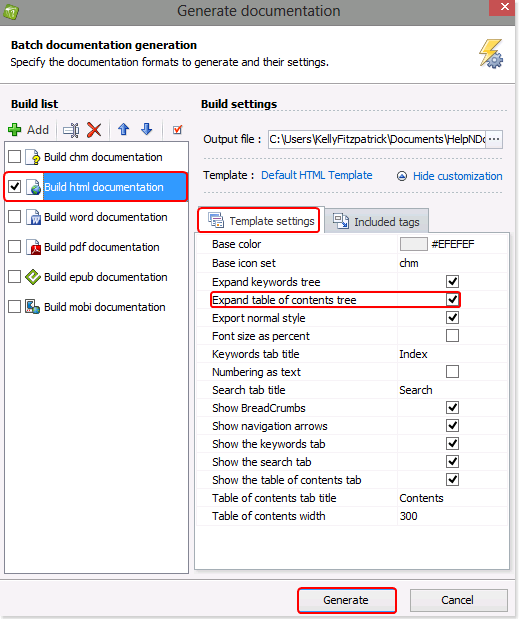
How to change the initial expand or collapse status of the HTML table of contents ›
By default, HelpNDoc automatically expands the table of contents when publishing documentation in HTML, displaying all topics. It is simple to modify this setting to automatically collapse topics, displaying only parent-level topics in the table of contents. Readers can then click a parent topic, expanding it to view the children topics.
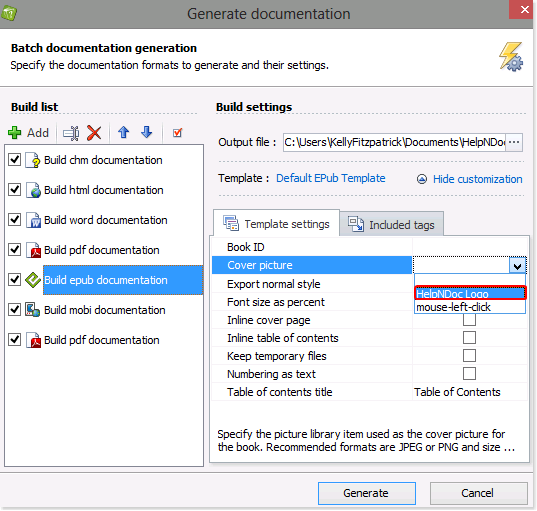
How to add a cover image to ePub and Kindle eBooks ›
ePub and Kindle eBook readers can use a cover image to display a representation of the eBook in its virtual library. It is easy to define that cover picture in HelpNDoc.
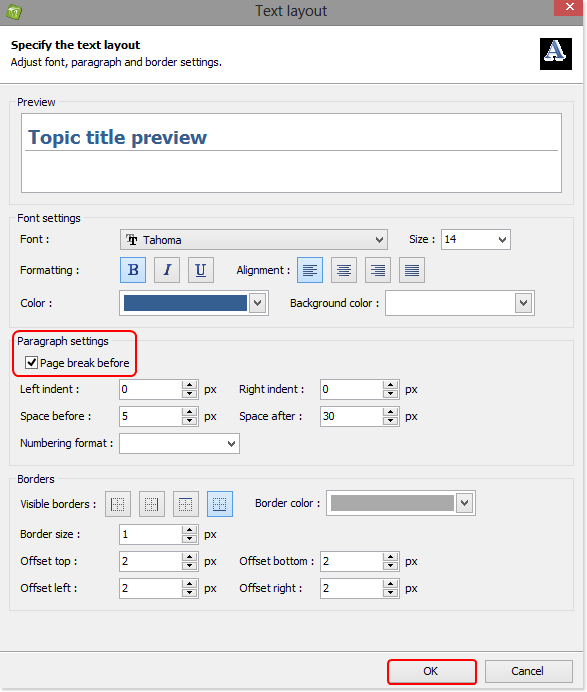
How to start each topic on a new page when publishing Word and PDF documents ›
You can create a template to control the format when you publish your documentation using Word and PDF, instructing HelpNDoc to begin each new topic on a new page. This new template is then available to you and can be used when publishing all of your projects.
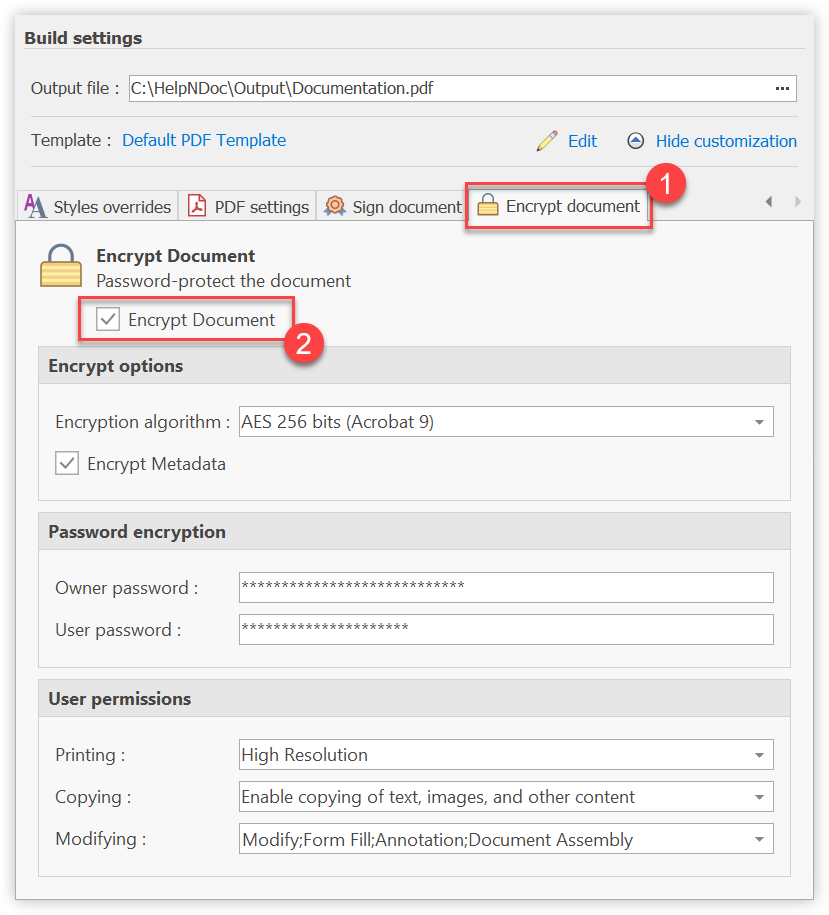
How to generate an encrypted password-protected PDF document ›
Producing a document which shouldn’t be viewable by everyone or should contain restrictions is extremely easy with HelpNDoc. A few options let you define the level of encryption, passwords and user permissions for your generated PDF documents.
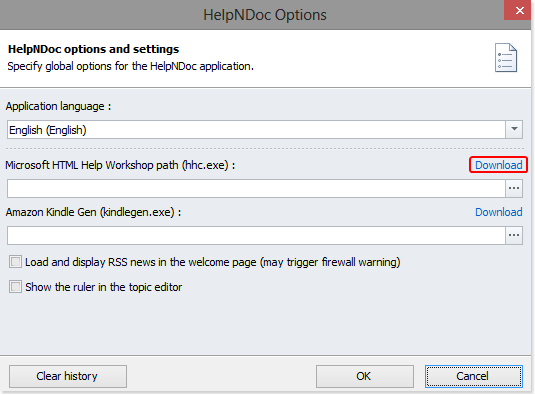
How to download and install Microsoft’s HTML Help Workshop compiler ›
In order to generate documentation in CHM format, you must first download and install Microsoft’s HTML Help Workshop compiler. This free compiler allows you to use HelpNDoc to generate CHM help files on Windows.
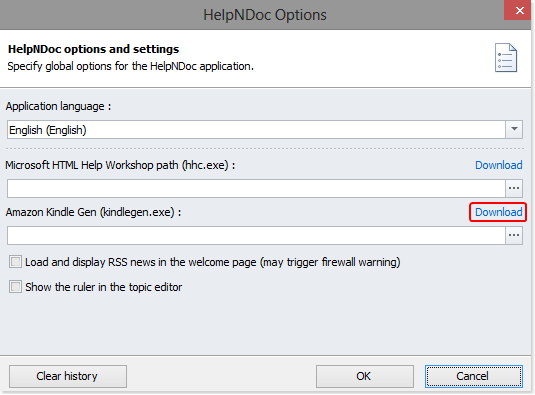
How to download and install Amazon’s KindleGen software ›
In order to generate Mobipocket and Kindle eBooks, you must first download and install Amazon’s KindleGen software. This free compiler is available from Amazon’s web-site and allows you to generate eBooks compatible with the Amazon Kindle eReader.