Follow the guides to learn how to use HelpNDoc and be more efficient when creating help and documentation projects.
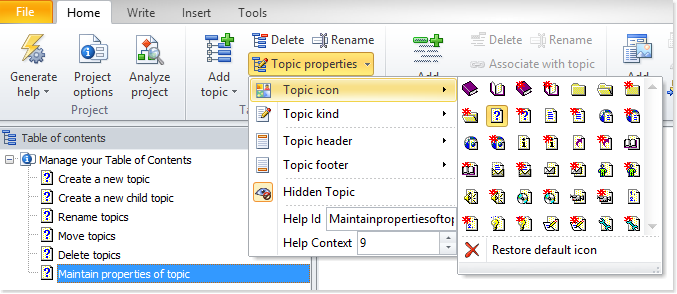
How to select a new icon for a topic in HelpNDoc ›
HelpNDoc provides an easy-to-use organizational feature that allows you to select from various icons to classify your topics. Let’s see how easy it is to pick the right icon to categorize them.
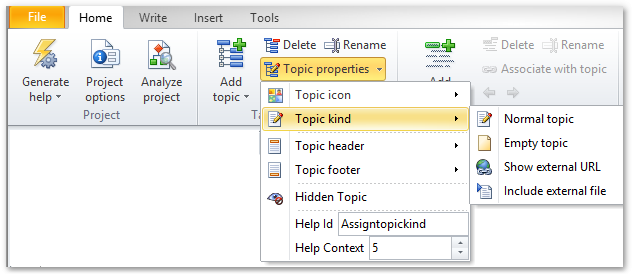
How to assign topic kind in HelpNDoc ›
HelpNDoc offers four kinds of topics. When you assign topic kind, your topic’s behavior will change thus providing greater flexibility to create sophisticated documentation projects.
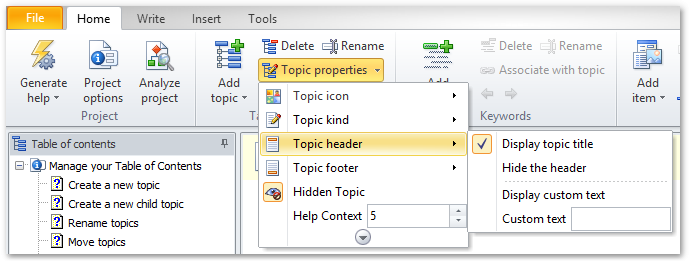
How to define a header for a topic in HelpNDoc ›
HelpNDoc assigns a header when you create a new topic. It is easy to update this header. You can also hide the header if you don’t want it displayed when you publish your documentation.
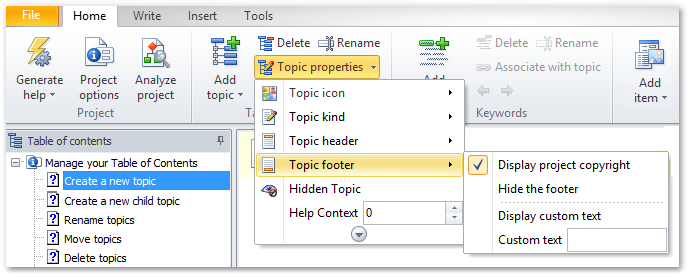
How to define a footer for a topic in HelpNDoc ›
HelpNDoc assigns a footer when you create a new topic. There’s an easy way to update this footer. Or, you can hide the footer if you don’t want it displayed when you publish your documentation.
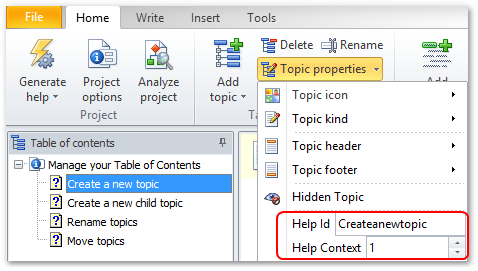
How to manage your topic identifiers in HelpNDoc ›
Each topic in HelpNDoc is uniquely identified by an Help ID and an Help Context so that it can easily be referenced from a Web or Windows application.