Follow the guides to learn how to use HelpNDoc and be more efficient when creating help and documentation projects.
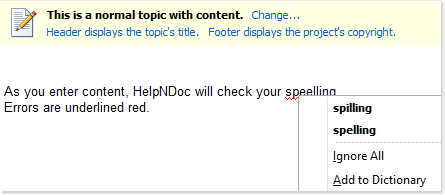
How to check the spelling in HelpNDoc ›
HelpNDoc provides a flexible multi-language live spell checker that puts you in control of the dictionaries and settings that are used. It checks spelling as you enter content into your editor, add new topics into your table of contents, create new keywords, post new items to your library… Your whole project is covered from spelling errors.
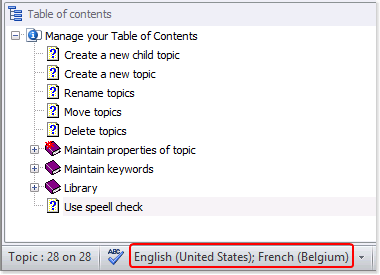
How to activate and deactivate a dictionary in HelpNDoc ›
To support your specific requirements, HelpNDoc allows you to select the dictionaries that are used by the live spell checker. You may activate one or more dictionaries at a time. It is also easy to deactivate a dictionary.
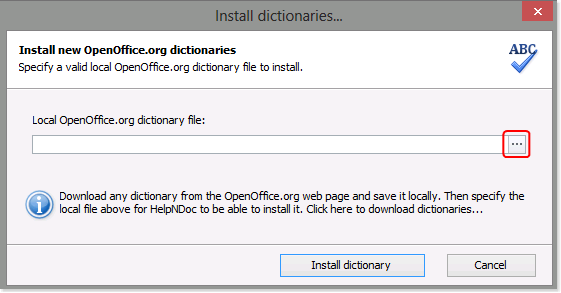
How to install a new dictionary in HelpNDoc ›
HelpNDoc provides over fifteen default dictionaries that you may use to spell check your help and manuals. You can also install new dictionaries from Apache’s OpenOffice.org. These open source dictionaries are free and support the spectrum of international languages and a variety of dialects as well as specific requirements such as medical terminology, grammar rules, and common names.
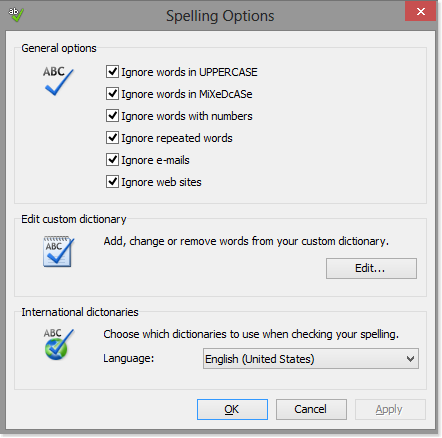
How to maintain your spell check settings in HelpNDoc ›
HelpNDoc puts you in control of the spell checker settings. It is easy to view and maintain your dictionary settings, update your custom dictionary, and activate the dictionaries that you’d like to use to spell check your projects.