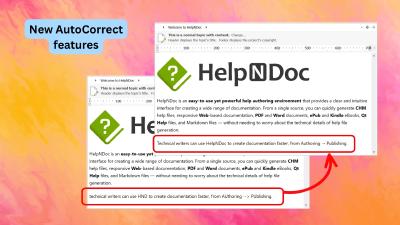
HelpNDoc’s AutoCorrect features help reduce repetitive corrections while you write documentation. Automatically capitalize the first word of a sentence, correct words that accidentally begin with two uppercase letters, and replace text shortcuts with frequently used text or symbols. These tools complement live spell checking to make everyday authoring more convenient.
Customize replacements and capitalization settings to suit your writing habits, and use exceptions to preserve terms with intentional capitalization. Explore the articles below for AutoCorrect news and practical ways to simplify typing while keeping control over your documentation’s terminology.
HelpNDoc 10.9 introduces brand-new AutoCorrect capabilities with automatic sentence capitalization, double-capital correction, and customizable text shortcuts. It also improves the default HTML template, delivers faster and higher-quality PDF generation, makes Markdown copying more AI-friendly, and adds useful authoring, code editing, and template usability refinements.
Read More →