The current version of HelpNDoc is 10.9
.
Check the change log to get detailed information about every HelpNDoc updates and stay abreast of the latest advancements in the HelpNDoc help authoring tool with our comprehensive “List of HelpNDoc Updates” tag. Explore a chronicle of meticulously documented enhancements, feature enrichments, and software refinements that empower you to harness the tool’s full potential. From user interface enhancements to functionality expansions, this tag offers an in-depth look at the continuous evolution of HelpNDoc. By engaging with this repository of updates, you’ll ensure that your documentation process remains aligned with cutting-edge capabilities, ultimately enabling you to deliver impeccable help content. Stay informed, stay empowered, and chart a course toward seamless documentation excellence through the “List of HelpNDoc Updates” section.
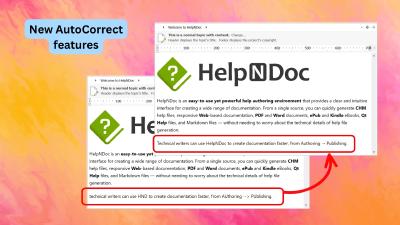
HelpNDoc 10.9 introduces brand-new AutoCorrect capabilities with automatic sentence capitalization, double-capital correction, and customizable text shortcuts. It also improves the default HTML template, delivers faster and higher-quality PDF generation, makes Markdown copying more AI-friendly, and adds useful authoring, code editing, and template usability refinements.
Read More →
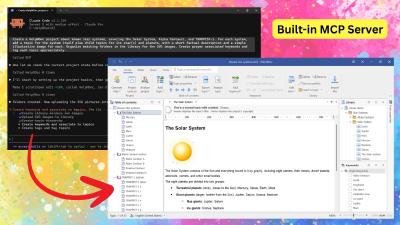
HelpNDoc 10.8 introduces a built-in MCP server that connects compatible external AI clients to the currently open project, along with a greatly expanded AI toolset for managing topics, keywords, tags, statuses, library items, project properties, and the HelpNDoc user interface. This release also adds individual topic export to HTML and PDF, expands scripting support for Markdown content and picture attributes, improves generated documentation, and delivers important reliability, compatibility, storage, licensing, and user-interface updates.
Read More →
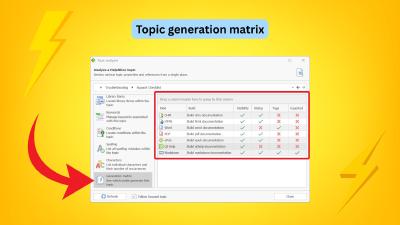
HelpNDoc 10.7 introduces a powerful new Generation Matrix in the Topic Analyzer, helping technical writers understand exactly why each topic is or is not exported for every build in a project. This release also evolves the former HTML Code library item into a more flexible Raw Code item with format-specific output for HTML, Markdown, and other formats, adds support for external snippet files loaded during generation, and delivers important improvements to the image editor, topic editor, equation editor, conditional content generation, and overall reliability.
Read More →
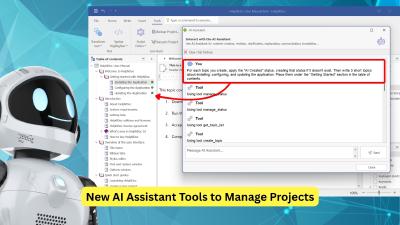
HelpNDoc 10.6 introduces new AI assistant tools to help manage documentation projects, as well as nested conditional content for more advanced publishing scenarios. It also offers practical improvements to the topic editor, new TypeScript, Java, and Kotlin code generation templates, and significantly faster Markdown generation. Additionally, HelpNDoc 10.6 provides a variety of performance, stability, and reliability improvements.
Read More →
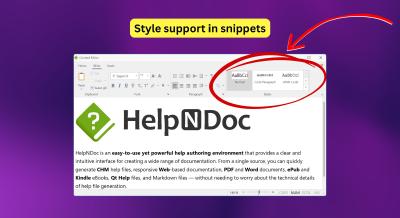
We are excited to introduce HelpNDoc 10.5, a release focused on consistency, migration, and everyday productivity improvements. This update improves the integration of reusable content within your projects, simplifies the transition from legacy tools such as Adobe RoboHelp, and provides a variety of fixes and refinements to streamline your documentation workflow. Highlights include styled snippets for consistent content reuse, a new RoboHelp project importer, improved HTML search accuracy, and multiple workflow and stability enhancements.
Read More →
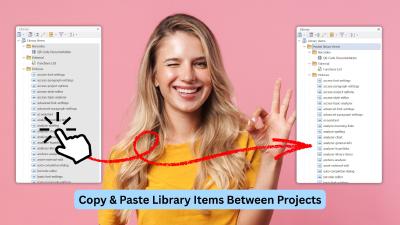
We're thrilled to announce the release of HelpNDoc 10.4! This productivity-focused update introduces long-awaited workflow enhancements, significant improvements to the built-in HTML search engine, and a variety of refinements across the application. From the new ability to copy and paste library items across projects, to faster and more consistent end-user search results, improved documentation output, and numerous UI and editor fixes, this version delivers meaningful gains for technical writers working on projects of all sizes.
Read More →
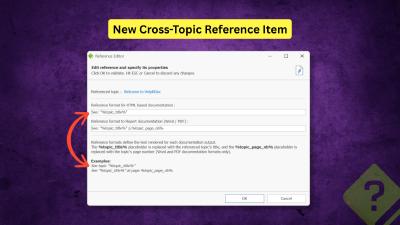
We are pleased to announce the release of HelpNDoc 10.3. This new version refines the authoring experience with a strong focus on structured cross-referencing, improved HTML customization, more controllable AI assistance, and a variety of UI, performance, and reliability improvements. As always, HelpNDoc is free for personal use and evaluation, so you can download the new version now and explore all the improvements firsthand.
Read More →
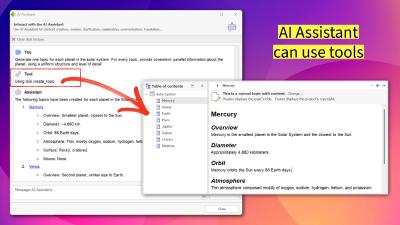
HelpNDoc 10.2 marks a pivotal shift in automated documentation with the evolution of the AI Assistant into an active project agent capable of managing topics and keywords directly. This release also introduces a non-modal AI interface for true multitasking, improved navigation within the Topic Analyzer, and significant upgrades to the scripting engine and PDF generation pipeline. Discover how these features can streamline your technical writing workflow in our latest update.
Read More →
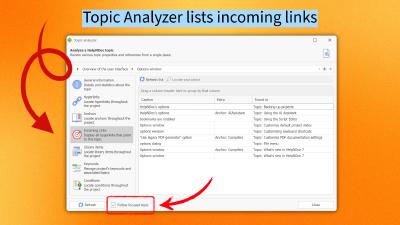
We are pleased to announce the release of HelpNDoc 10.1, the latest update to our popular help authoring tool. This version introduces several key improvements designed to make content management, navigation, and organization more intuitive and efficient. It enhances the Topic Analyzer with incoming link tracking and automatic synchronization, refines topic navigation and adds bookmarks to restore exact editing positions. It also expands the Library with new sorting options for better asset organization. HelpNDoc 10.1 also includes numerous bug fixes and performance optimizations to ensure a smoother and more reliable authoring experience. Let's take a closer look at what's new in this release…
Read More →
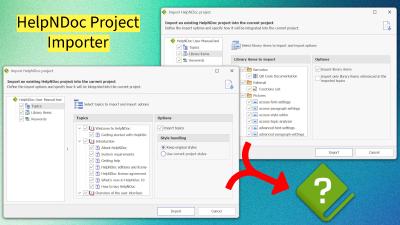
We are thrilled to announce the release of HelpNDoc 10.0, a major milestone in the evolution of our help authoring tool. Packed with powerful new features, smarter workflows, and important fixes, this version is designed to make technical writing faster, more flexible, and more reliable than ever. From a brand-new project importer to improved Markdown compatibility, enhanced equation and image handling, and a host of stability and performance upgrades, HelpNDoc 10.0 is here to redefine your documentation experience.
Read More →